





Messenger is an Instant Messaging app which requires any of Castellan Systems’ business information management applications as it installed onto their database to determine the team members and store the conversations.
|
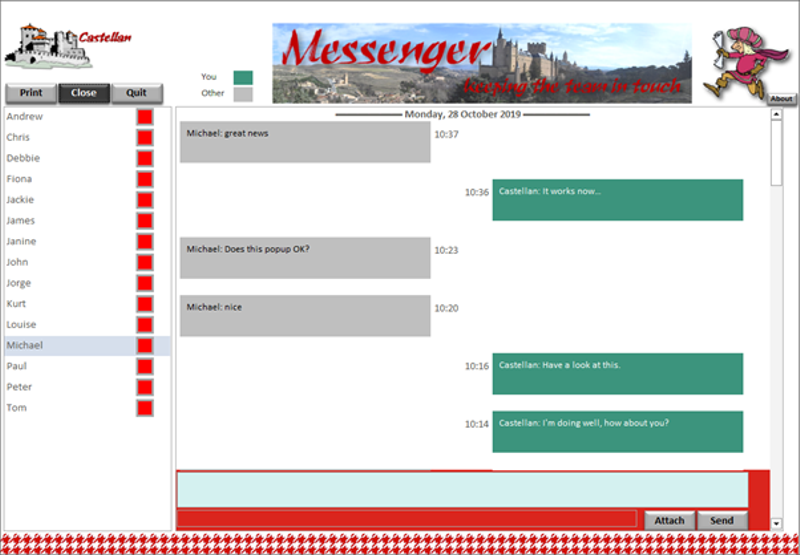
When initiated, Messenger loads in the background and an icon is added to Status section of the Windows Taskbar; clicking the icon will bring up the screen below shown. Messenger> allows you to send messages to other team members instantly; you can attach a file to each message. You’ll see a list of the team members; the green light indicated that they are connected, the red that they are not. If you have a message from another team member unread, their name will be bold on this list. Clicking on a team member, will bring up the conversation. Latest messages at the top. If the message has an attachment, a paperclip icon will appear on the far right of the message; clicking it will open the file. Your messages will appear on the right and will be in a teal box; the other person’s will be on the left and will be in a grey box. You can also print any conversation. |
|
Go to the Download page to get it.

