





|
A “Toastmaster” is a worker typically charged with organization of the event, arranging the order of speakers, introducing one or more of the speakers, and keeping the event on schedule. Such meetings typically include civic events, service organization meetings, and banquets for various purposes. Toastmaster is an Event Management System (EMS) that assists an event planner and/or venue with the planning and coordination of an event for their clients. This includes planning, venue, catering, purchasing, leasing, vendor, staffing and execution management. Version 1.0 Initial release. So what does Toastmaster do? |
|
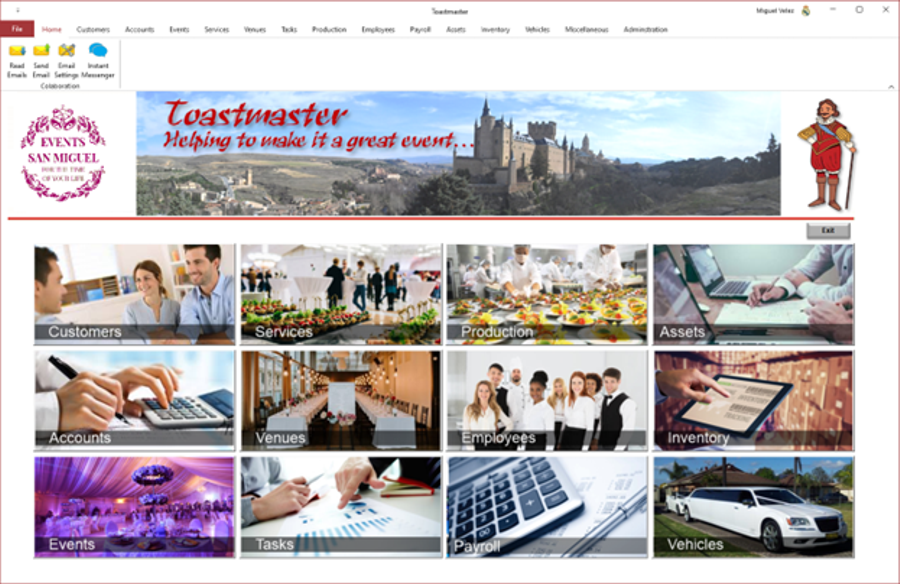 |
Toastmaster manages your customer records including work order executed on their behave. It provides a full set of Accounting facilities. It manages your Opportunities. It provides Quotation and Work Order Management facilities including purchasing, execution and invoicing. It provides stock and inventory management facilities, including disposal and sale of inventory. It manages your work tasks. It records your payroll expenses. It manages vehicle usage and expenses. It manages the business’s employee details records. It provides full support for the management of assets and prints asset labels which include a barcode. It provides support for the management of staff expenses. It allows for the recording of timesheets which can then be submitted to the employee’s manager for review and approval. It allows managers to review and approve/reject timesheets or individual entries. It allows employees to submit requests for leave, which are then submitted to their manager for review and approval. Toastmaster maintains units of measurement (UOM), types of leave and public holidays that are used by the rest of the application. |
|
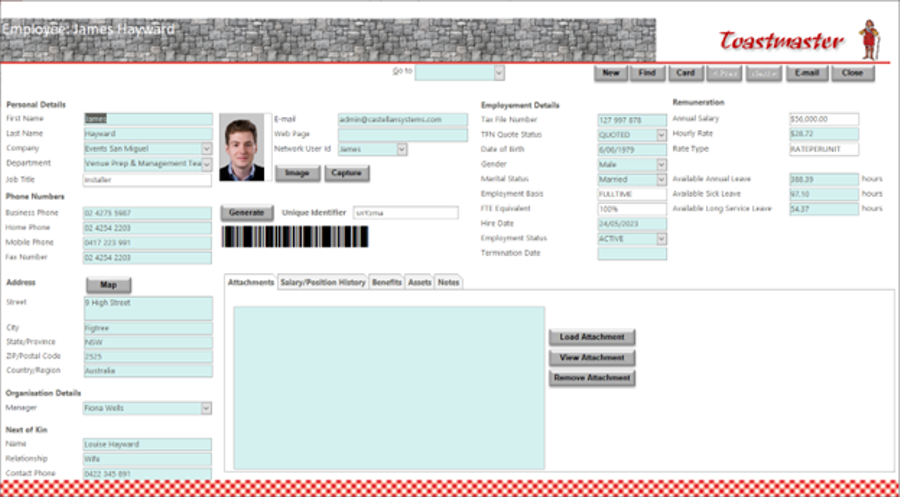
Toastmaster maintains your employee’s details including their personal details, manager, next of kin, a photo, email address and network user id, employment details, remuneration details. It stores any documents, like resumes as attachments. It can record the different positions the employee has held with the business; any payroll additional allowances or any deductions applicable to the employee; the banking details to use by payroll for the employee; the superannuation, if applicable, account(s) details to use by payroll for the employee; and general notes. You can save a photo of the employee and generate a unique id for that employee. It can take a picture of the employee directly from the application. The barcode generated used the common Code 39 barcode type used for various labels such as name badges, inventory and industrial applications. The symbology of the Code 39 character set consists of barcode symbols representing numbers 0-9, upper-case letters A-Z, the space character and the following symbols: – . $ / + %. Lower-case characters may also be used. The photo and barcode will appear on the employee’s ID card when produced. It can generate an employees address book and phone list. |
 |
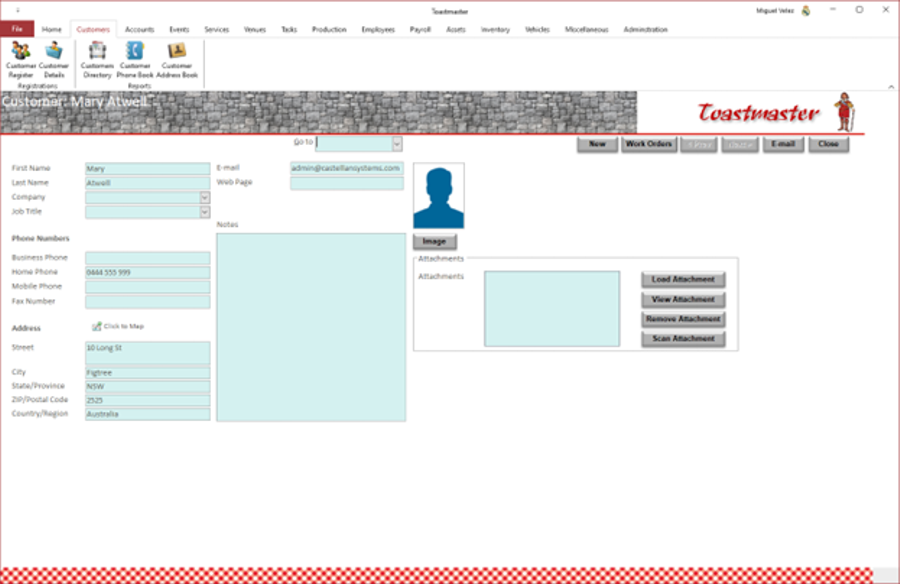 |
Toastmaster maintains your customer’s details including their personal details, a photo, email address and mailing address. It stores any document. Toastmaster records and maintains the list of work orders the customer has approved. |
|
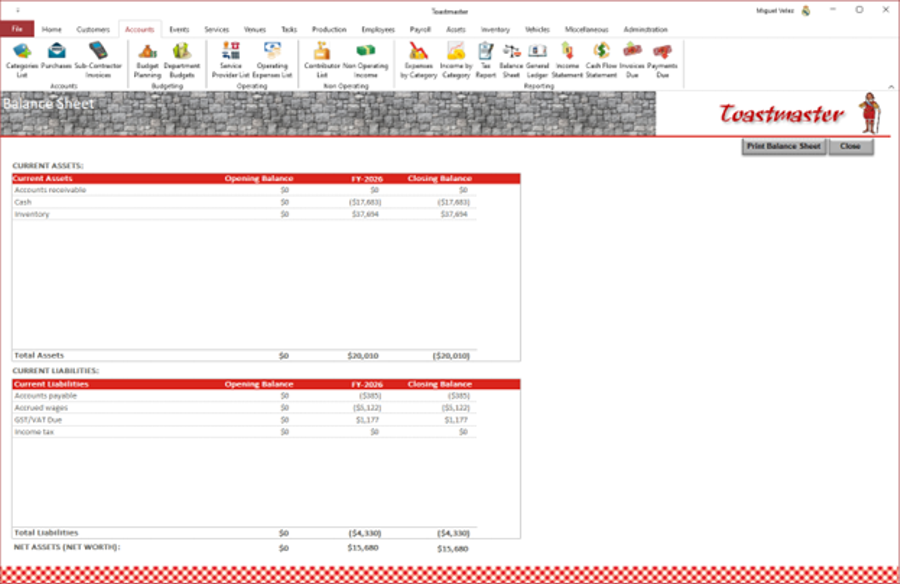
Toastmaster provides accounting/financial report to support the financial administration of the business. Most of these reports can be viewed on an enquiry screen, generated as a PDF or printed out. These reports include:
Obviously, these reports are generated using the expenses and income data recorded throughout the application, which is recorded using classes and categories to support the financial reporting. |
 |
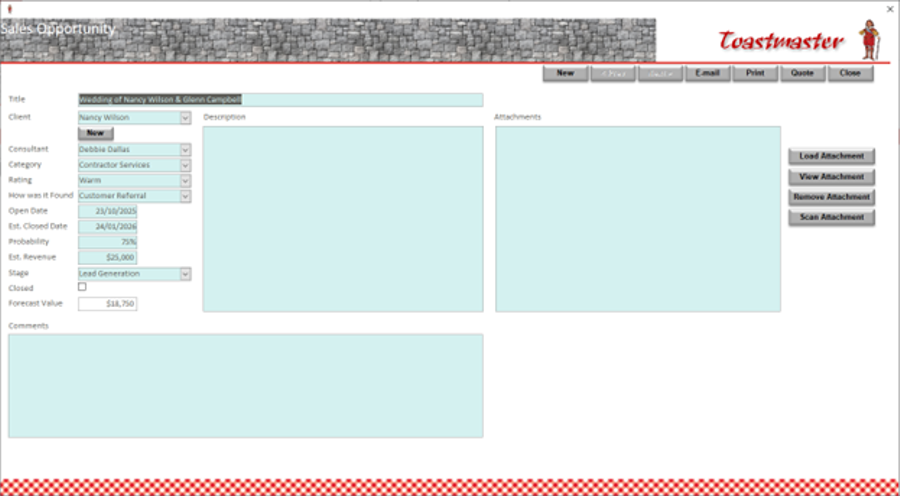 |
Toastmaster supports your sales pipeline process by tracking opportunities which can be pursued. These sales opportunities can then initiate a quote or completely new quotes can be recorded/produced. A quote can then initiate a work order from which an invoice can be generated once the work has been completed. |
|
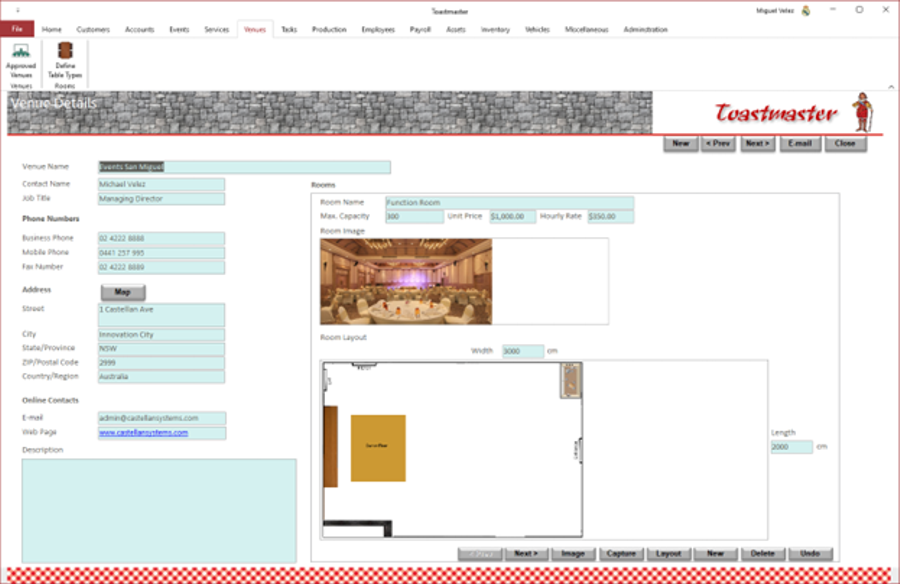
Toastmaster maintains a list of approved venues and rooms, including any internal. Capacity, layout room dimensions and hire cost of each room is maintained. Toastmaster also maintains a list of furniture, e.g. tables and chairs, that are available, either internally or through external hire, for setting up the selected room to meet the events' requirements. |
 |
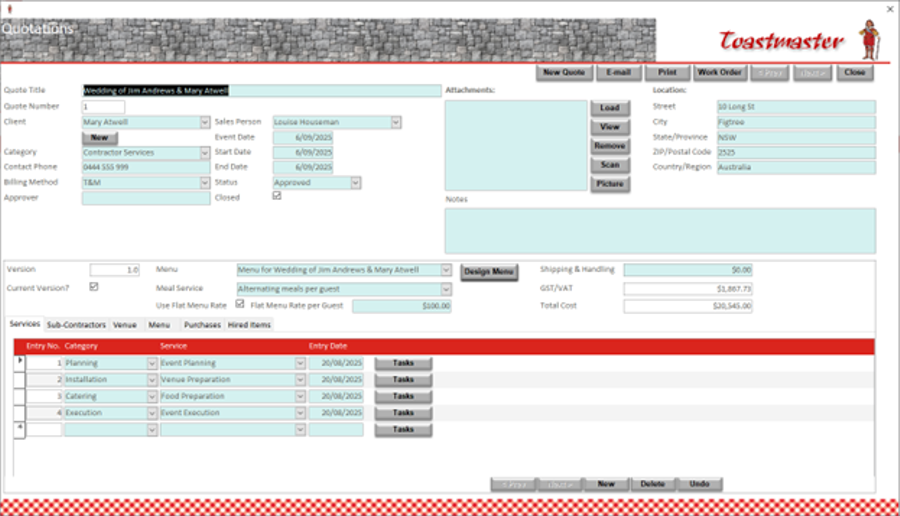 |
Toastmaster supports the generation of quotes for customer to address their event requirements. These quotes can include venue, labour, materials
to be provided, materials to be purchased, materials to be hired and menu.
Toastmaster also for the storing of relevant documents relating to the quote; these documents could had been provided by the customer, outlining their requirements, or sources by your team during the preparation of the quote. It can take pictures and save then as attachments directly from the application. Once produced, the quote can be printed or emailed directly to the customer. Once the quote is approved by the customer, initiation of a work order is started so that final approval of scope, budget and schedule can be obtained. |
|
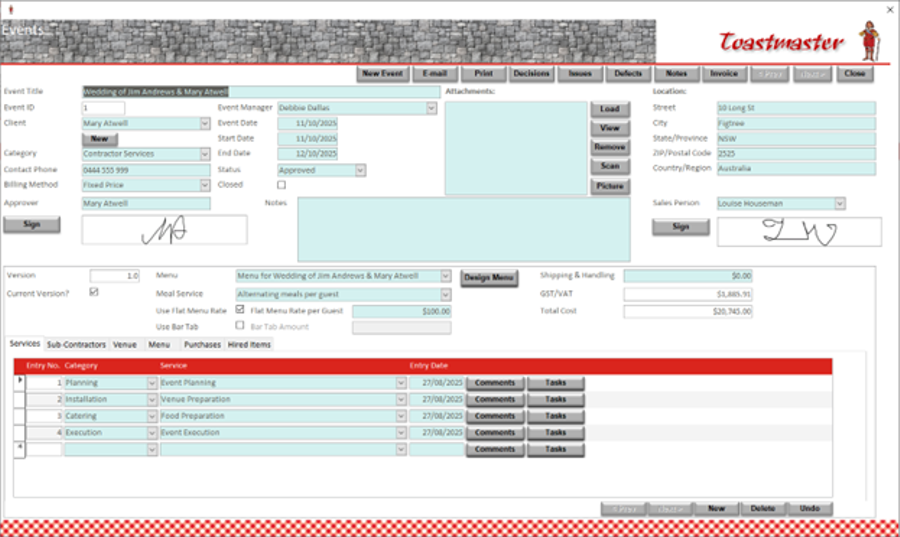
Once a quote is approved, Toastmaster supports the generation of work orders in order to obtain final approval of scope, budget and schedule. These work order can include venue, labour, materials to be provided, materials to be purchased, materials to be hired and menu. It can design a menu, based on an available selections of options, producing a list of raw materials required that will need to be purchased and supplied, selected equipment required (including internal and external hire) and selecting and booking vehicles. It can design the setup or layout of the room(s) for the event. It can record decisions, issues, defects and notes relating to the events' and their tasks. Toastmaster can also store relevant documents relating to the work order; these documents could had been provided by the customer, outlining their requirements, or sources by your team during the preparation of the wor order and/or work order. It can take pictures or scan documents and save then as attachments directly from the application. Once produced, the work order can be printed or emailed directly to the customer. Once the work order is approved by the customer, work can actually start. |
 |
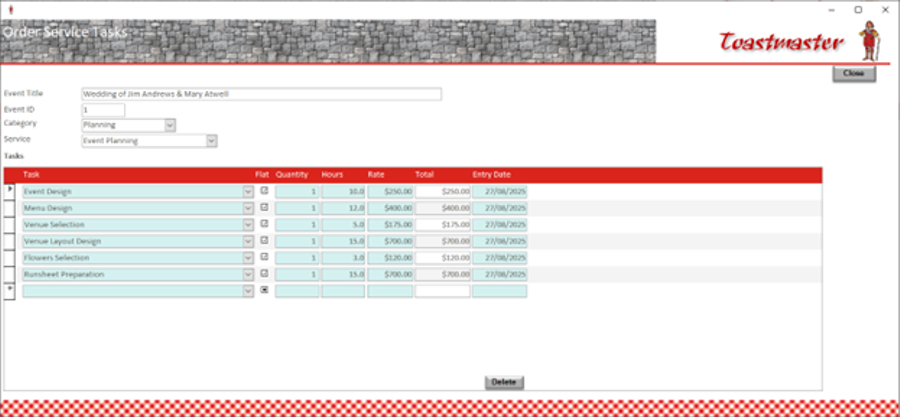 |
Toastmaster assists in generating a list of work tasks to prepare and deliver the event, as per the contracted requirements and identifies staffing requirements; these can then be met utilizing internal staff or hiring from external providers. |
|
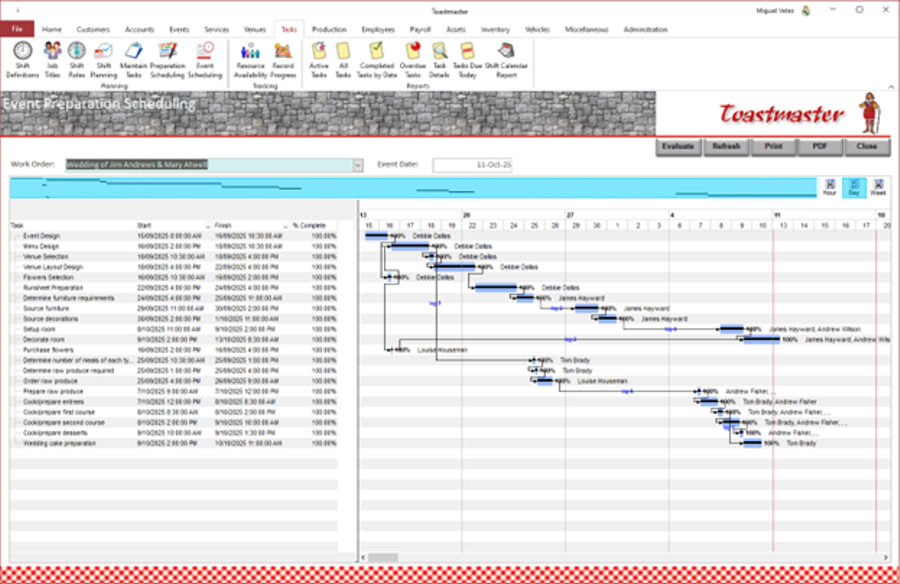
Toastmaster can generate 2 different schedules for each work order, schedules based on the estimated tasks and labour; a "preparation" schedule and an "event" schedule.
The "preparation" schedule includes all tasks required to prepare for the actual event. This is done using a built-in scheduling facility to create
Gantt charts, and therefore the schedule. This facility can:
These schedules are firm and should be approved by the customer. The schedule and a simplified timeline can be printed. |
 |
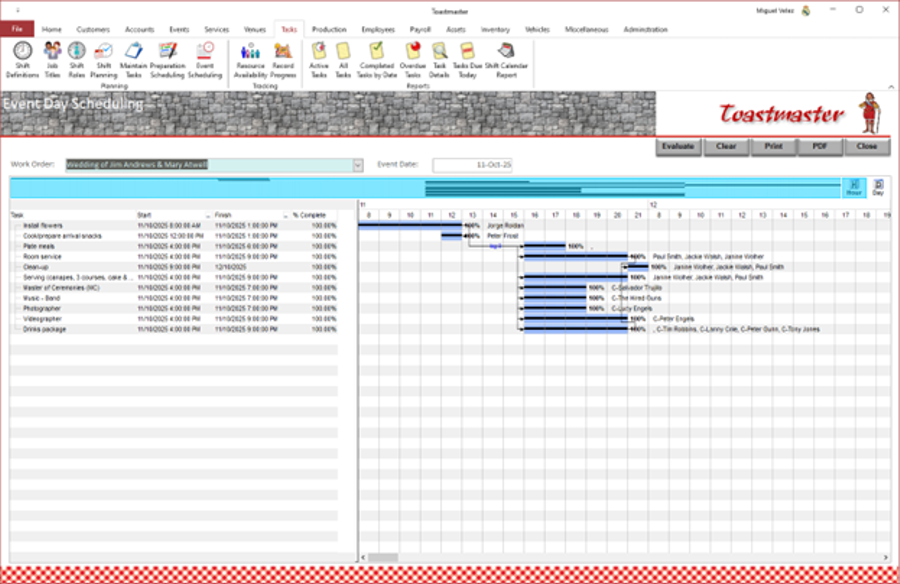 |
The "event" schedule includes all tasks performed on the actual event. "Toastmaster" does this using a built-in scheduling facility to create
Gantt charts, and therefore the schedule. This facility can:
These schedules are firm and should be approved by the customer. The schedule and a simplified timeline can be printed. |
|
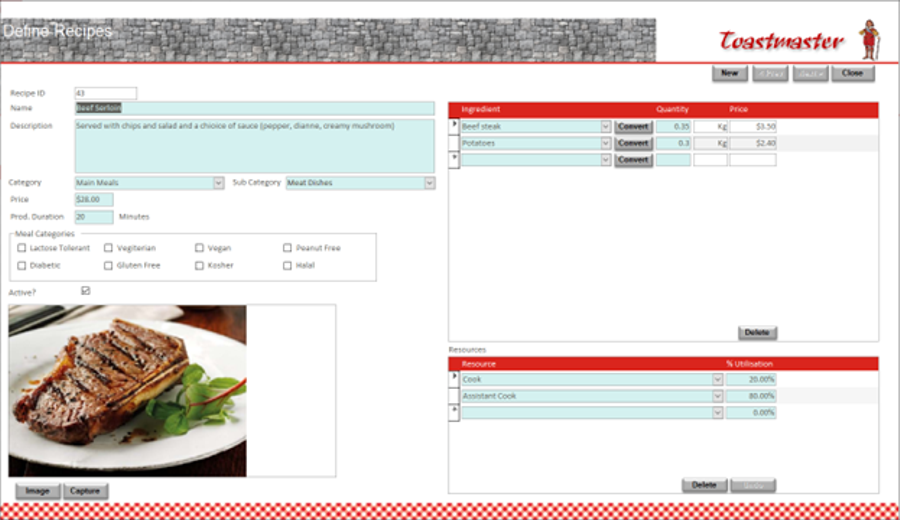
Toastmaster can define recipes for the preparation of the meals or products you have available. It can record the ingredients and their quantity required. It can record the staff required to prepare the meal and the amount of time they require; this assists with capacity planning. It can define the preparation/production duration; this being the time required by staff to be involved in the production of the recipe. It can record the staff members that are involved in the production and the percentage of the production time that should be allocated to them. It can take a picture of the prepared meal directly from the application. |
 |
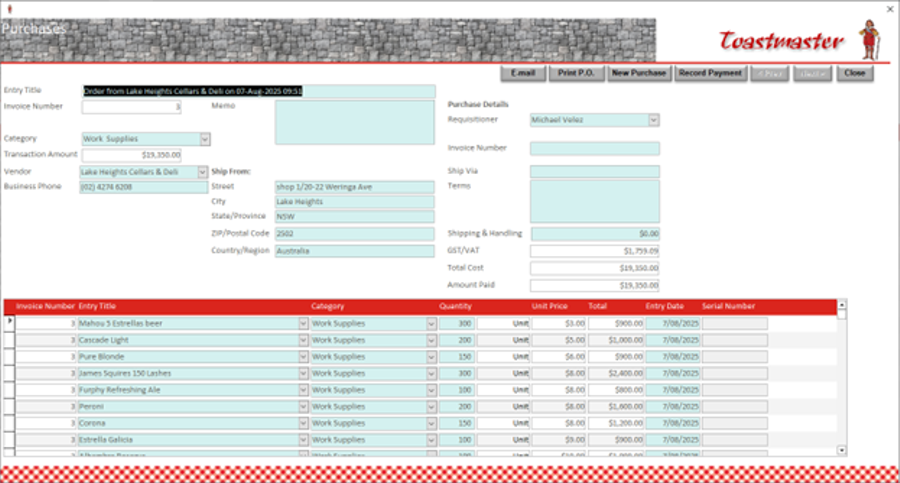 |
Toastmaster supports the purchasing process for materials, and warehousing, to support the services you provide. It can maintain warehouses of available items and manage re-stocking. It maintains a list of suppliers and the items they supply. It can issue purchasing orders and maintains an inventory of these. As items are either used or provided during the execution process, it updates the inventory so that the current available stock of any item is known. You can view at any time the purchase transactions and inventory transactions. Toastmaster can print a report which items require re-ordering to maintain the stock levels preferred. It can produce many reports that assist in analysing the inventory. It can also print a Suppliers Directory listing every supplier and the items they provide; this can be used as an easy reference when ordering new stock. |
|
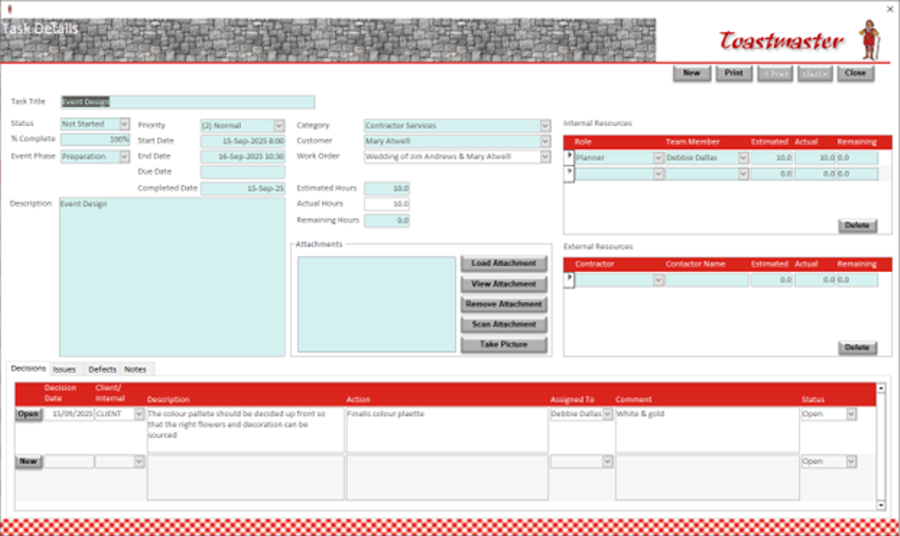
Once a work order has been approved, Toastmaster supports the further definition of each estimated task. Staff assigned to the task, need to be identified and their share of the total hours estimated. These can be internal staff or additional staff will need to be hired. Once all staff hiring needs have been identified, staff hire orders can be generated and submitted to the appropriate hire company. Once actual staff have been allocated by these hire companies, their names can be recorded.This information will be used when generating the schedule. Also, any documents relevant to the task can be stored. It can take pictures and save then as attachments directly from the application. As work progresses, Toastmaster can record decisions made relating to each task, actions identified for each task, issues identified for each tasks and any defects identified with the work for each task. |
 |
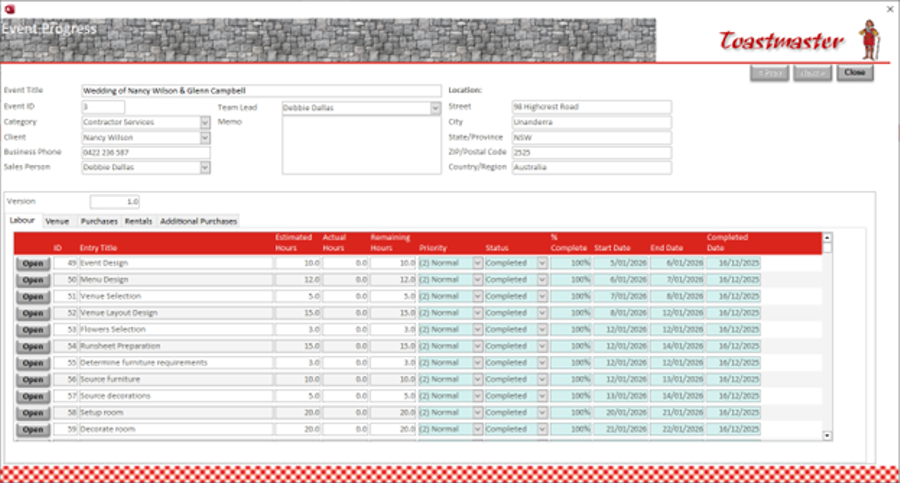 |
Toastmaster supports the work order progress monitoring process. As employees record their time, these actual hours are recorded against the appropriate task. The remaining hours are calculated but can be manually overridden. Percentage completion is calculated and when a task is completed, this can be recorded also. Once work orders has been completed, Toastmaster can produce customer fully itemised invoices and record payments. |
|
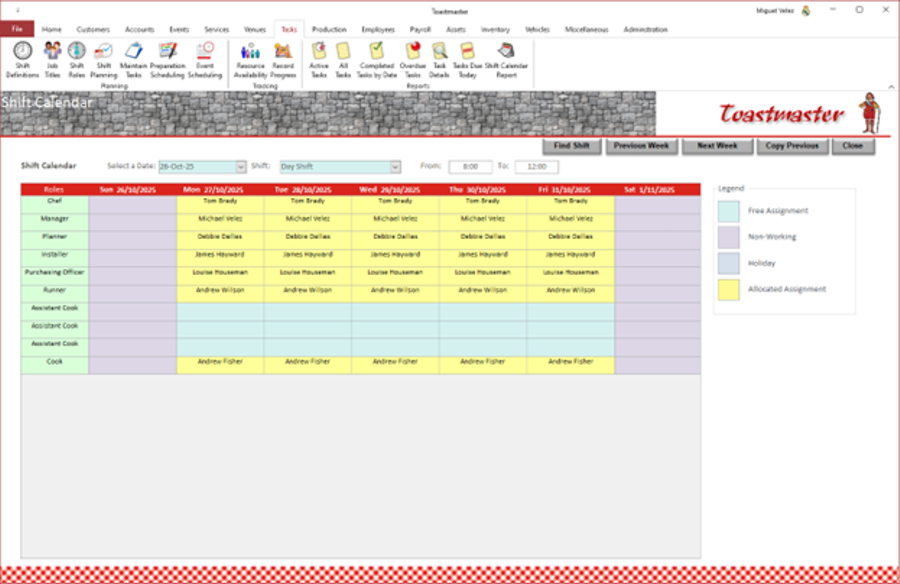
Toastmaster support the generation of shift resourcing plans. Shifts and the different roles/jobs within these shifts can be defined. Plans can be put together in a graphical calendar representation which can also be printed and distributed to staff. Toastmaster reviews each resourcing selection to ensure that a staff member has no overlapping shift. It also ensures that a staff member is not allocated to shifts without a normal shift gap in between, i.e. no 2 shifts in a row, in order to manage staff fatigue. |
 |
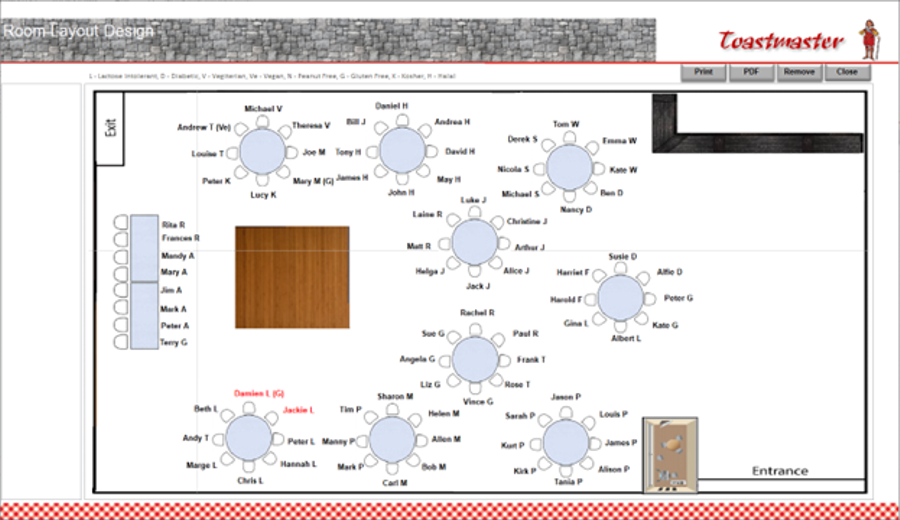 |
Toastmaster can, graphically, design the room(s) setup layout, identifying the number of tables and chairs required. These are then supplied from internal stocks or additional ones will need hired from a supplier; it will generate the required hire orders. Toastmaster can prepare a seating plan, which will be shown in the room layout along with identified children and dietary requirements. The layout, including the seating plan, can then be printed. |
|
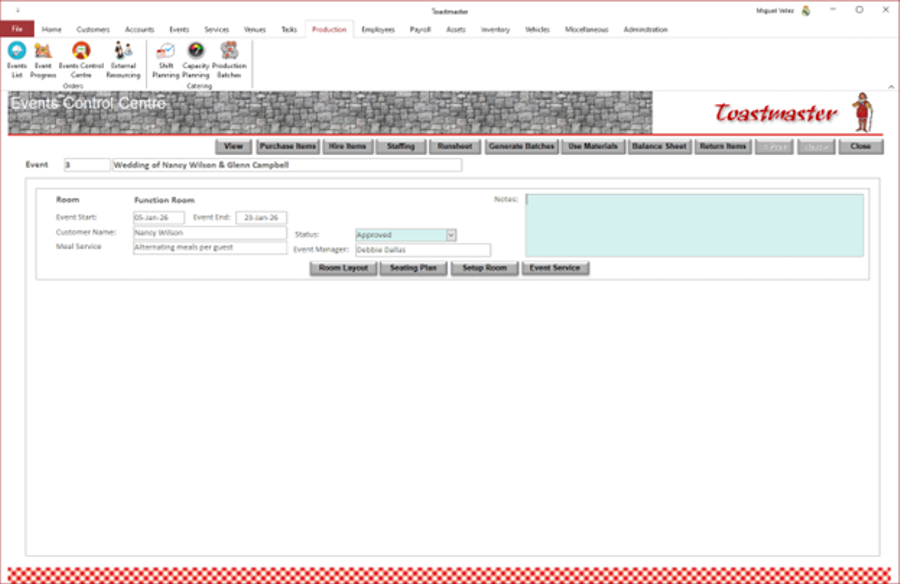
Toastmaster provides an 'Event Control' facility from where all activities to deliver the event can be coordinated. These include:
|
 |
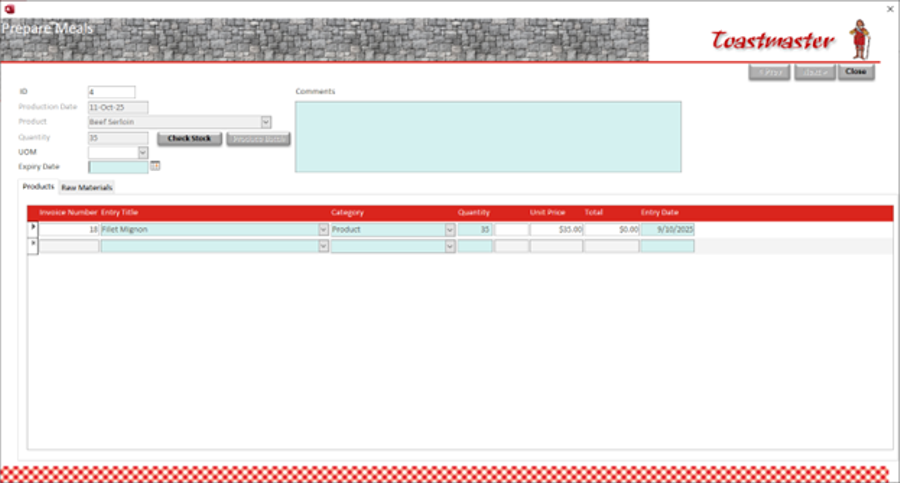 |
Toastmaster supports the meal preparation/manufacturing process by generating production batches based on the menu selection and number of guests. It checks if the raw materials required are available, and if not, it generates purchase orders for the additional stock needs. It records how many items were manufactured, calculates the raw materials consumed and updates the inventory accordingly; both for the consumed items and manufactured items. Toastmaster accordingly maintains an inventory of manufactured items so that the required quantities are available on the actual event. |
|
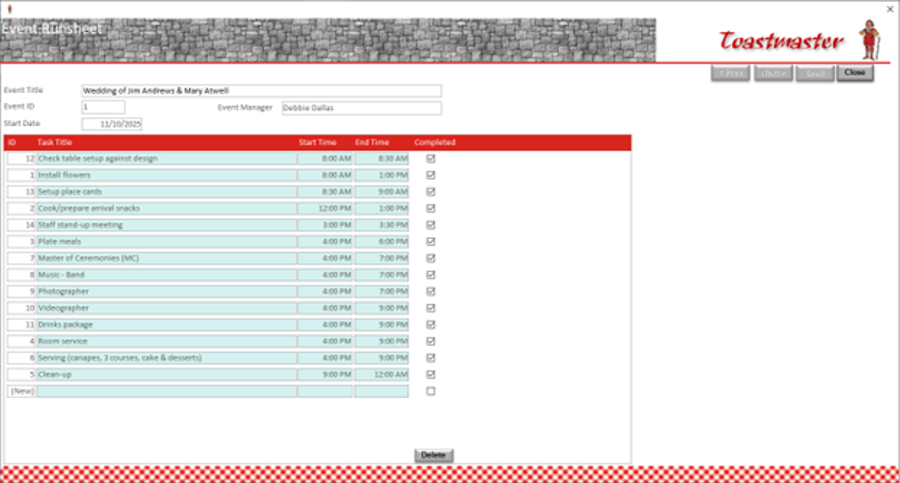
Toastmaster can generate an event day runsheet detailing the tasks to be performed on the actual event day(s). It can draft this runsheet using the event day tasks defined and the 'event' schedule generated. But additional tasks can be manually added, if so desired. As tasks are completed, they can be marked as such in this runsheet. |
 |
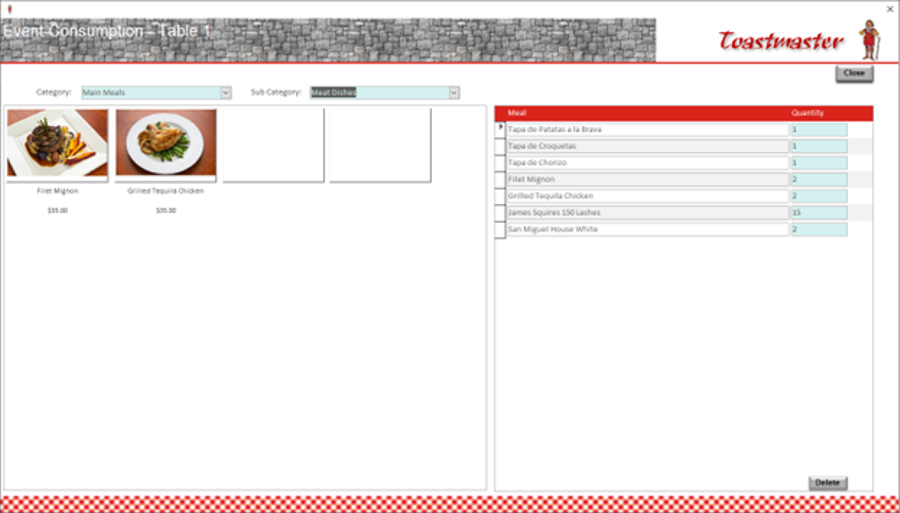 |
Toastmaster, on the event day(s), can record consumption of meals and beverages; this is done through a graphical interface that shows the room layout. When meals and beverages are delivered to a table, clinking on the appropriate table on this interface will allow recording of those deliveries. Selection of the meals and beverages delivered uses a graphical select list of the items available, as per the menu. |
|
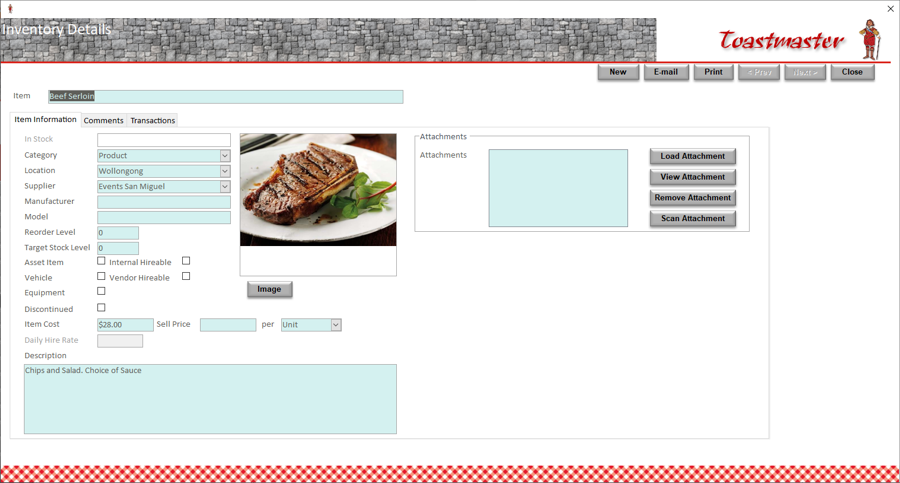
Toastmaster support the product inventory process by defining inventory items. These inventory items could be products would be raw materials purchased from suppliers or products manufactured using these purchased items from suppliers. It can take a picture of the item directly from the application. Toastmaster can assist in analysis inventory consumption. Toastmaster can also store any documents relating to the customer that you require to keep for future reference. |
 |
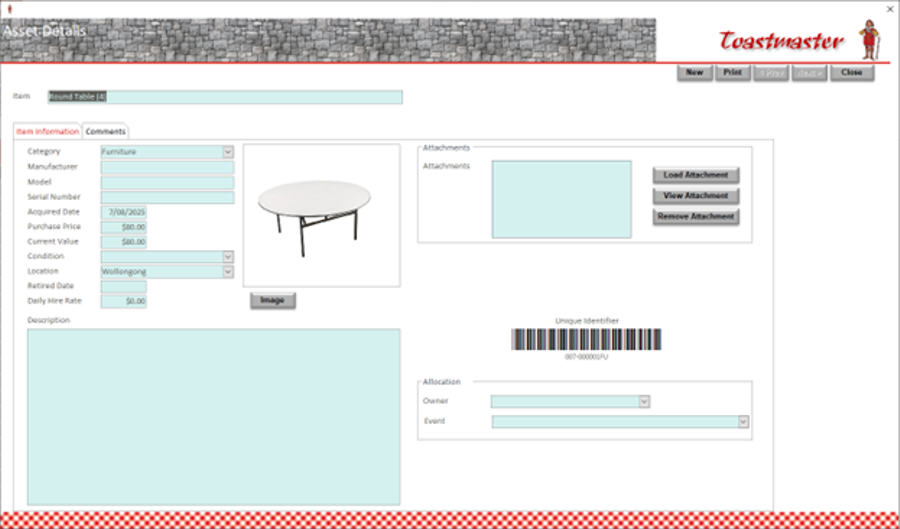 |
Toastmaster provides facilities for asset management. It can define asset types and location where these assets are kept. It can register assets, including a description, photo, manufacturer, model, serial number and store any documents, like brochures. It can generate identifying barcodes and print asset label which are then attached to the assets. It can allocate assets to staff and monitor their return when the staff member terminates their employment with the business. It provides multiple reports to support monitoring and managing of these assets. |
|
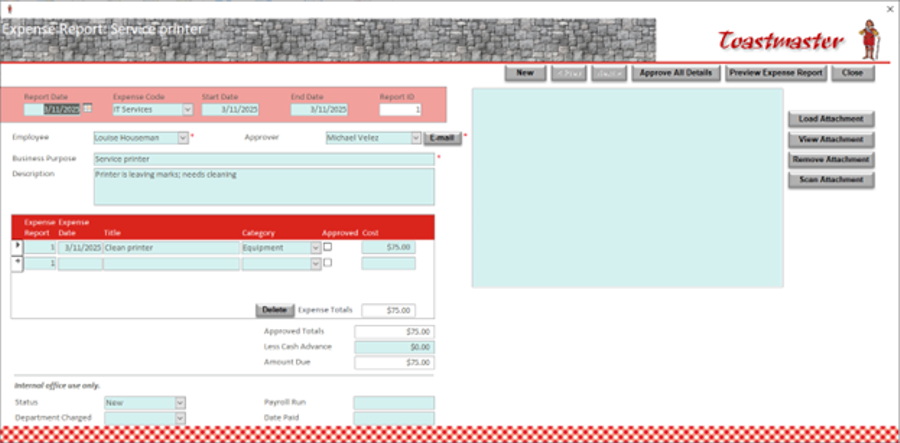
Toastmaster allows staff to make claims for refunds of working expenses. These claims can take one of two forms: mileage claims for travel or cash expenses; for cash expenses the staff member can attach supporting documentation, including receipts and invoices. Toastmaster supports the scanning of these attachment through a TWAIN compliant scanner. The staff member submits the claim and it's then sent to their manager for review and approval. It provides multiple reports to support monitoring and managing of these claims. |
 |
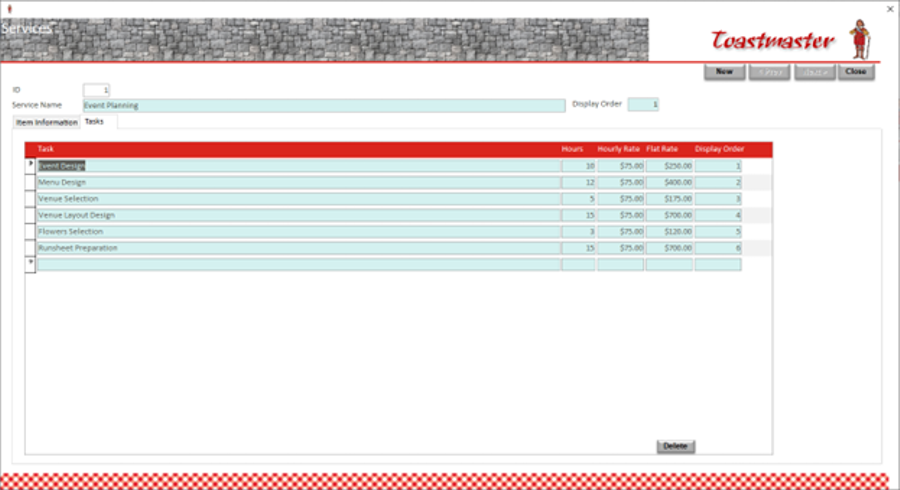 |
Toastmaster supports the definition of the services your business provide. Within each service, you can identifying the tasks that can be performed. You can record the standard/average number of hours it takes to perform that task; you can also record an hourly rate and a flat rate, if applicable, for costing that task. |
|
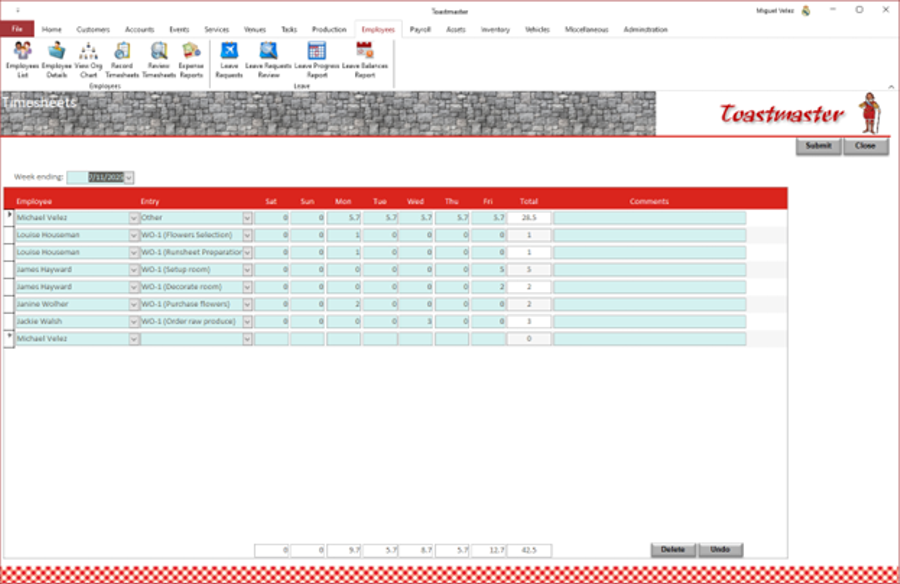
Toastmaster can now record an employee's timesheet and it can be submitted for review and approval. Timesheet entries are recorded against any of the currently open tasks, whether they be for a work order or an case initiated out of the call centre. Toastmaster can then submit the completed timesheets to the appropriate manager for approval. This timesheet data is used to update the progress of the impacted tasks, including percentage complete and remaining hours. The timesheet data is then used, along with the employees' salary package information, to calculate payroll costs and update the business' balance sheet. |
 |
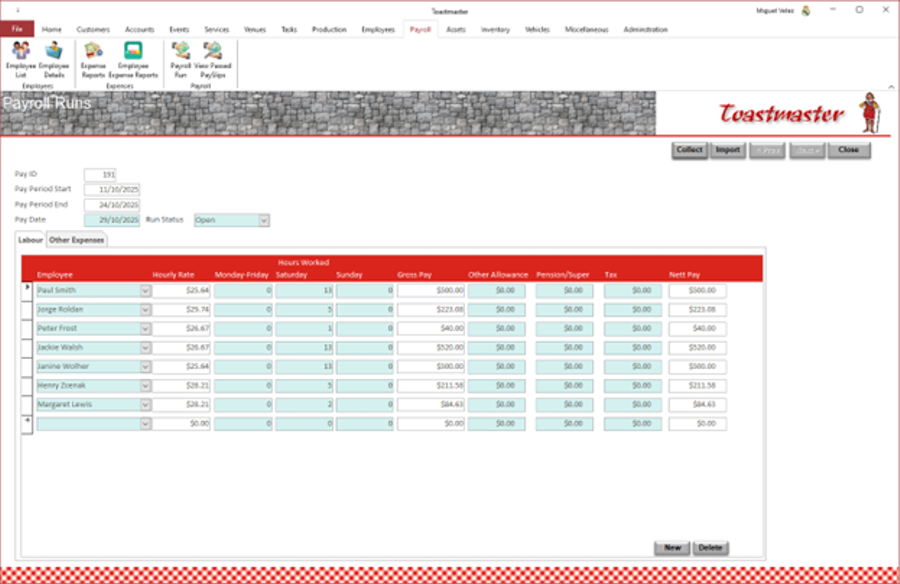 |
Toastmaster, as mentioned above, uses the timesheet data recorded, and approved, by staff to calculate payroll costs. It also uses the staff's salary package information to calculate payroll costs. These costs are then added to the balance sheet so that a full picture of the financial state of the business can be viewed. Toastmaster can also import a payroll expenses report from your payroll solution; for that purpose a sample layout Excel (.xls) file is included so that the format of this file can be identified. It can calculate payroll costs based on the employees' timesheets and their salary package information. |
|
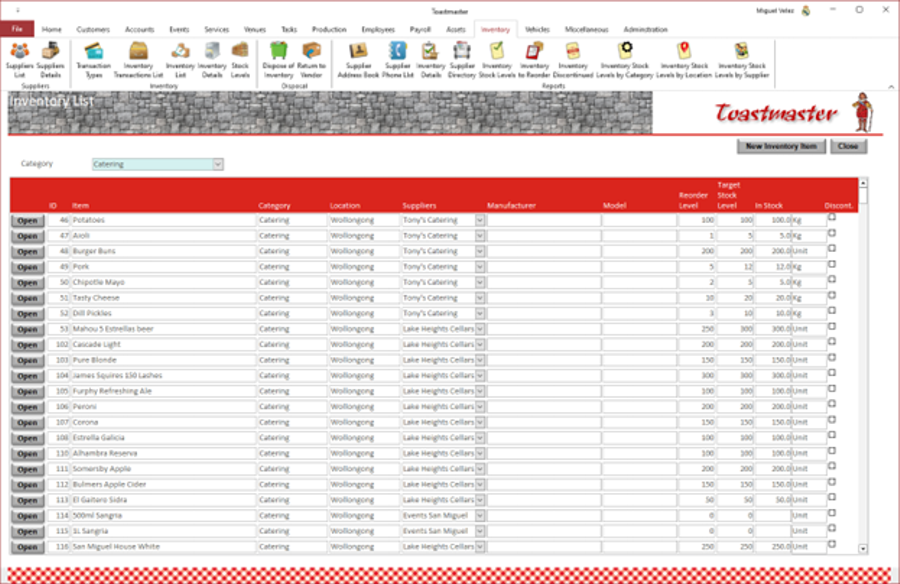
Toastmaster, as already mentioned, supports the operation of stores and warehouses within the business. It can maintain stores of available items and manage re-stocking. It maintains a list of suppliers and the items they supply. It can issue purchasing orders and maintains an inventory of these. It can receive requests for items and fill them and update the inventory so that the current available stock of any item is known. You can view at any time the purchase transactions and inventory transactions. Toastmaster can print a report which items require re-ordering to maintain the stock levels preferred. It can produce many reports that assist in analysing the inventory. It can also print a Suppliers Directory listing every supplier and the items they provide; this can be used as an easy reference when ordering new stock. |
 |
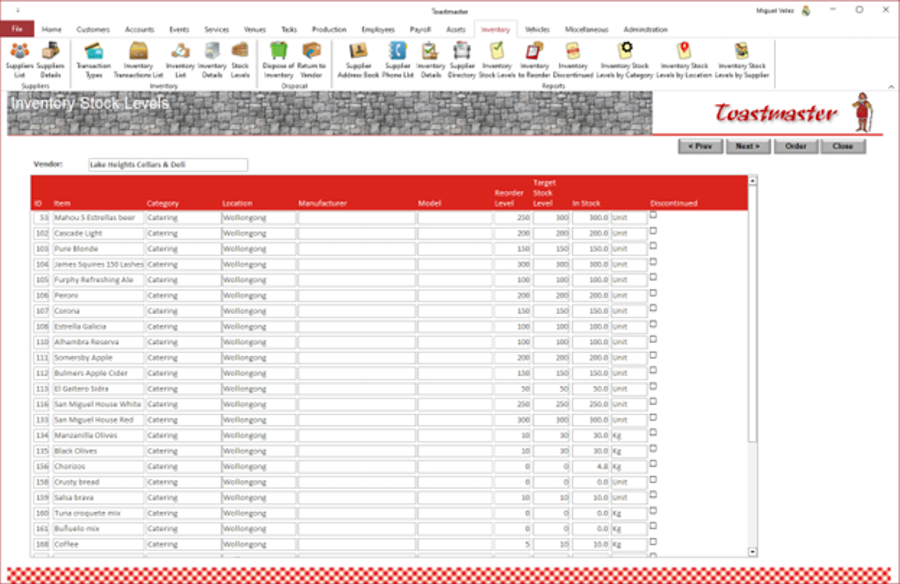 |
Toastmaster can monitor stock levels and generated re-ordering purchasing order semi-automatically. It will enquire to identify those stock items below the desired level and generate purchase orders for them which can be reviewed and modified by the user, if required. |
|
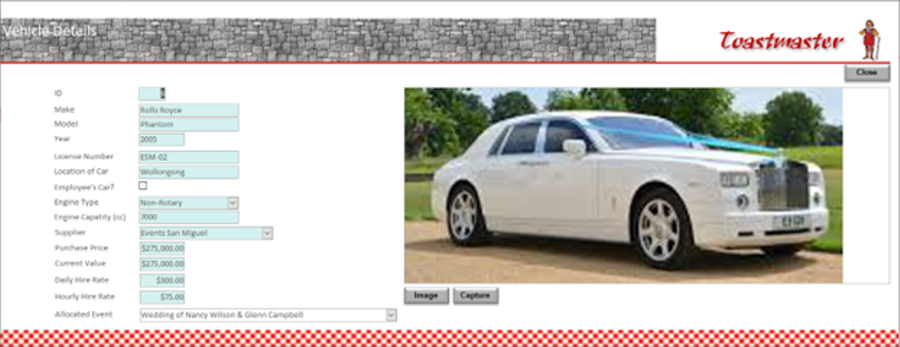
Toastmaster supports vehicle management. It can record details of the vehicles managed by the business, which are available to hire for events. It can also record details of vehicles that can be hired from an external provider. The full list of internal and external vehicles are available for selection as a service for an event. |
 |
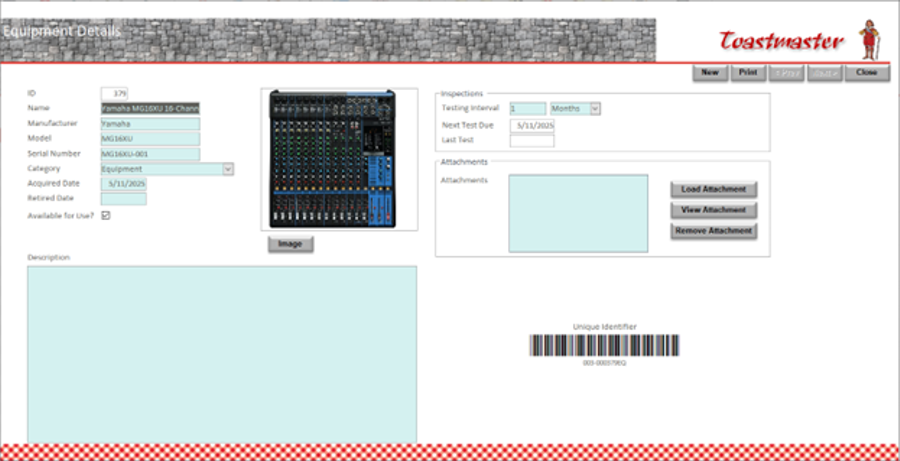 |
As mentioned earlier, Toastmaster can manage assets; some of these assets would be identified as equipment. In such cases, Toastmaster can also record maintenance inspections cycle details, which would then be monitored. These cycles can be expressed in days, weeks, months or years. |
|
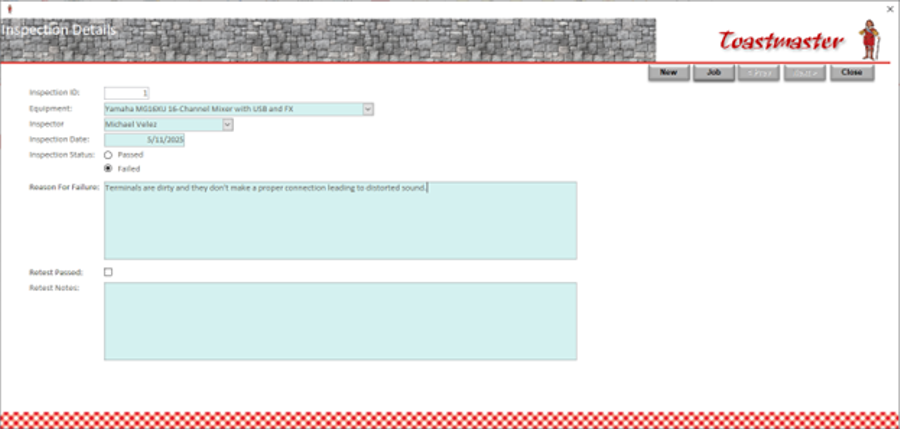
Toastmaster will monitor the defined inspections cycles per equipment item and identify when inspections are due. Inspection can then be initiated. You can also initiate an inspection even when it's not due, if you deem it necessary. When an inspection is performed, Toastmaster can record the results of the inspection. If the inspection has failed, Toastmaster will then initiate a repair task; the equipment item will be marked unavailable. If the inspection passes, Toastmaster will then determine when the next inspection is due, based on the inspection cycle defined. |
 |
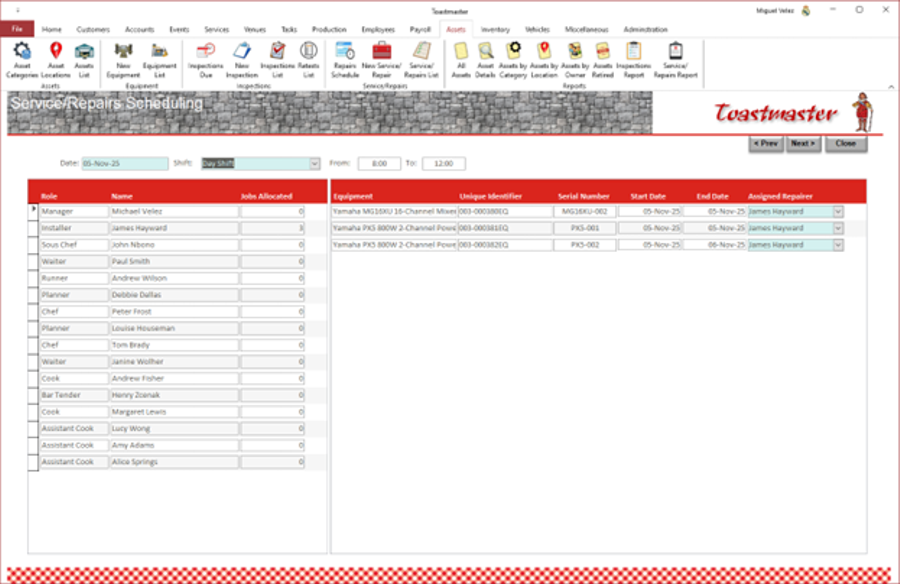 |
Toastmaster can allocate outstanding repair tasks the staff, as per the shift plan. These tasks could be as a result of failed maintenance inspections. Staff are allocated based on the role identified in the task and the staff member. When allocating tasks, care is taken not to exceed the maximum work time per shift. |
|
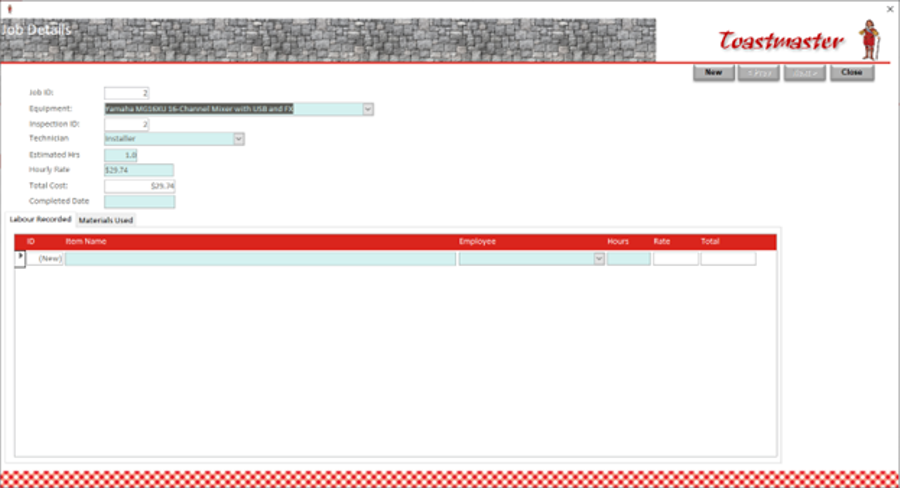
Toastmaster can track the progress of work on outstanding repair tasks. These tasks are generated due to failed inspections of equipment. Time worked is calculated based on staff timesheets; spare parts or other items supplied in order to completed the task, are also tracked. Once work has been completed on an item's repair task(s), Toastmaster submits it for re-inspection or testing. If the item now passes inspection, it's marked available and returned to operations. |
 |
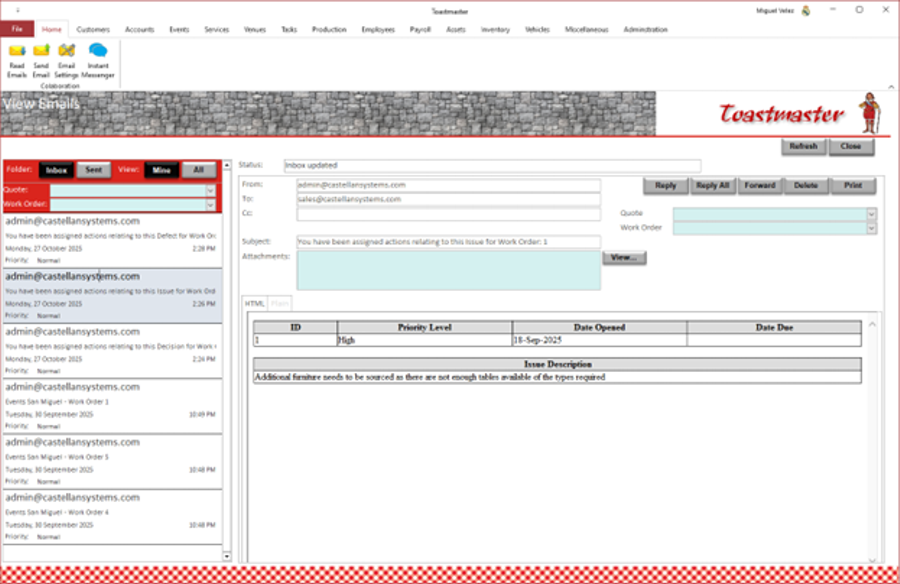 |
Toastmaster provides inbuilt Emailing facilities. Emails can be imported from your Email Server without the need for an Email client like Microsoft Outlook. These Emails are then stored within the database along with any attached documents. Emails can be printed. |
|
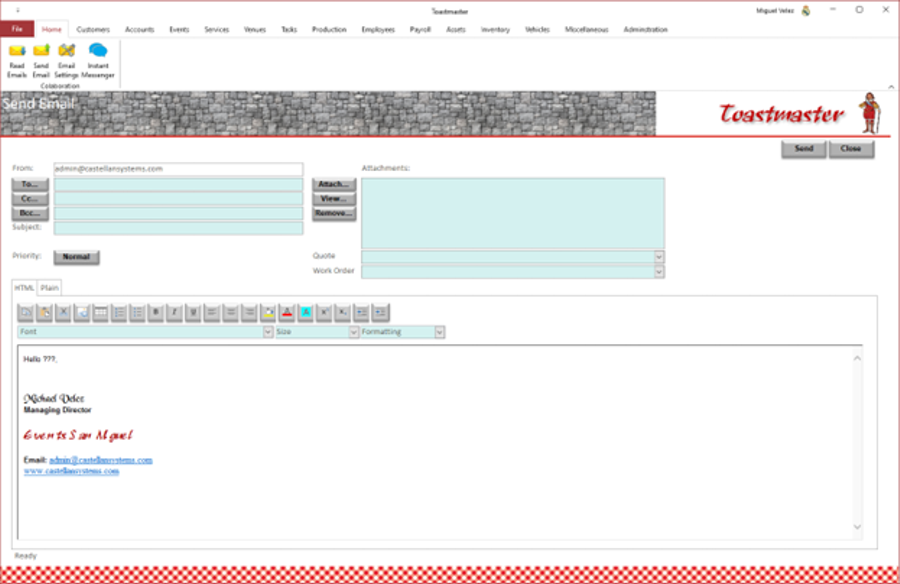
Toastmaster can also send Emails through your Email Server without the need for an Email client like Microsoft Outlook. These Emails are then stored within the database. |
 |
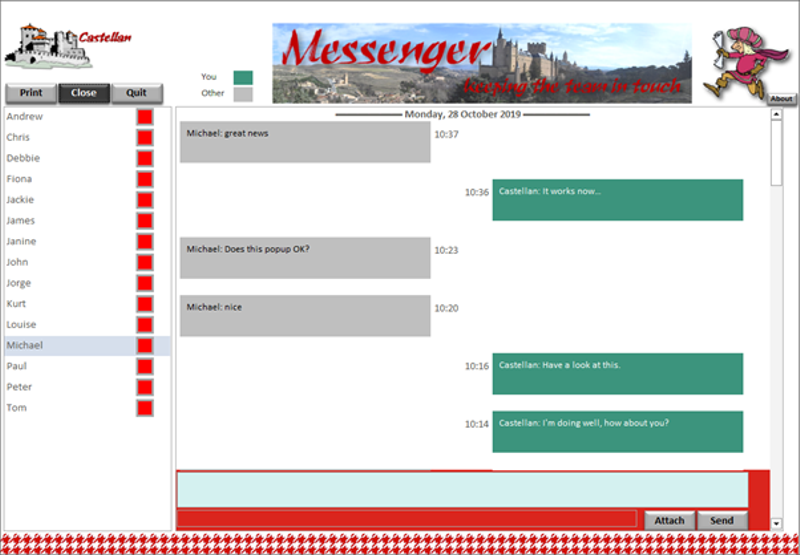 |
The Toastmaster package includes Messenger, our Instant Messaging tool. This tool can be distributed to all employees no matter the licenses of Toastmaster have been purchased. It’s use to communicate with each other in a fast and simple manner. And what's more important, this application is free; purchase licenses for the use to the full Toastmaster application and then you can distributed this application to all other staff members. |
|
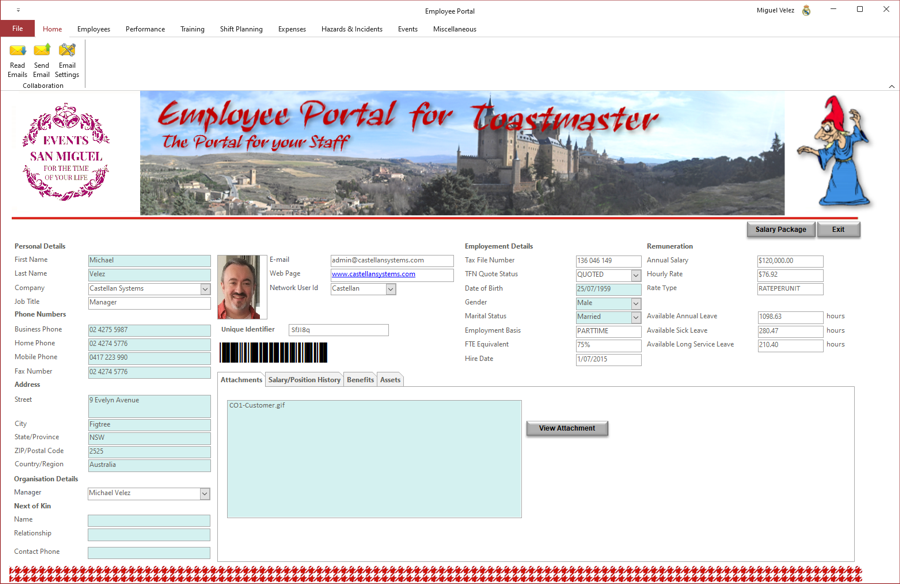
The Toastmaster package includes Employee Portal. This tool provides access to some of the functionality of some of Toastmaster. May be not all you employees need access to the full functionality of Toastmaster. This application allows staff members to perform the functions that they require, like:
And what's more important, this application is free; purchase licenses for the use to the full Toastmaster application and then you can distributed this portal application to all other staff members. |
 |
|
Toastmaster is available in 1, 5, 10 and 20 user licenses; but we're happy to negotiate any other arrangement. Just contact us. |
|

