By Michael A. Velez, Managing Director of Castellan Systems
If you’re running a small business, you face a dilemma. You need to manage the business while at the same time being one of the key employees (or even the only one) delivering the products and/or services that bring in an income. But usually, the founder knows lots about the products and/or services, but little practical knowledge about running a business; any business.
I have never heard of a company CEO throwing it all in to start their own company in a field that they know nothing about. Electricians tend to start electrical businesses; plumbers tend to start plumbing businesses; chefs tend to start their own restaurant. So the majority of people that start their own business, do it because they are working in that field, or have knowledge of it, and want to be in charge of their own destiny. They want to be answerable to no-one, except may be the bank. They want to set the direction, work the way that they feel it should be done. They don’t start them because that want to run a business; that not the motivator.
|
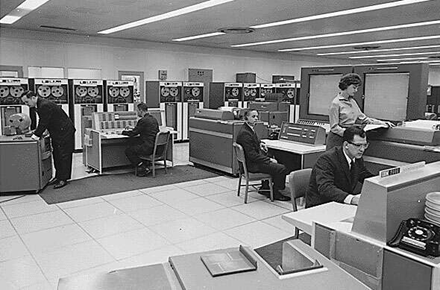
It’s now almost 15 years since I started Castellan Systems and almost 10 since I decided to focus fulltime on Castellan Systems. At the time it was more as a result of being tired of working for management that didn’t understand projects and project management; in fact, they didn’t even seem to understand their own customers. I was also tired of building IT solutions of other people’s ideas; I wanted to just focus on my ideas. I needed to get back to my roots as a software developer to rediscover the “joy” of software development. I can’t really sing, write music, play an instrument or create art. But I can write software and that's creative in its own way. I decided to go into software development, or computer science as it was called back then, at school during Year 9 (3rd year of high school). It was 1974 and personal computing was a long way off. Computers were great big things that took up a whole floor of a building. But I recall sitting in Maths class when the teacher said that computer programmers made a lot of money. I jokingly turned to my mates and said, “that’s what I’m going to be.” So as you can see, I put a great deal of thought into making that choice 😊. |
|
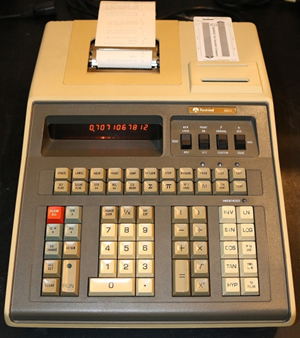
But the seed was planted. Two years later the school got its first programmable calculator; it wasn’t exactly pocket sized and all it could do was mathematical calculations. To program it we used some special pre-printed cards and a special lead pencil. One of my mates and I were the only ones in our form interested in this machine; in my case, it was due to that statement back in 1974. But that was enough; when I finished high school, I went to the University of Wollongong to study computer science. At that stage, the computer department was part of the Mathematics faculty which had only recently separated from the Science faculty. That should give you an idea where computing was in the great big scheme of things. So I was enrolled for a Batchelor of Science degree; only the following year was the Batchelor of Mathematics degree created and I transferred to it. In 1980, I graduated with my Batchelor of Mathematics degree and a double major in Mathematics and Computer Science. “Information Technology” would not become the name for this field for many years yet. As it turned out, I was not bad at programming; in fact, I was quite good. My mind just seemed to be “wired” the way that software developer’s mind should. In 1981 I began my working life in the computer department of the Port Kembla steelworks; initially as a software developer and later as a project manager. After 27 years there, and several different names on the front door, I moved on to work, as a project manager, in several financial services companies. |
|
It was during my time working as a project manager on those steelworks projects that I began developing the system that would lead to the launch of Castellan Systems. This is the situation that I found myself in; my employer didn’t provide us project managers with any tools, so each project manager developed their own Excel spreadsheet(s) to managed their projects. There was no standard set of tools; so if one project manager needed to hand over a project to another (something that happened to me many times), the new project manager faced a problem: do they continue to use the old PMs spreadsheet(s) for that project or convert them to their own?
Also, every week I needed to review progress of my projects and I needed to essentially track 3 things, so:
- Each Monday I got a report of the hours recorded to my project(s) the previous week. I would then enter those hours against the appropriate task in a spreadsheet that I had developed to track progress to my estimate; I would then need to calculate 2 dollar figures: internal costs and external costs (i.e. what I was going to charge the customer).
- Then I took that same data and entered into another spreadsheet for invoicing; here I was just interested in the hours recorded by each individual.
- Finally, I would take that data again and go into Microsoft Project and update the tasks actuals and remaining forecast to review progress to schedule.
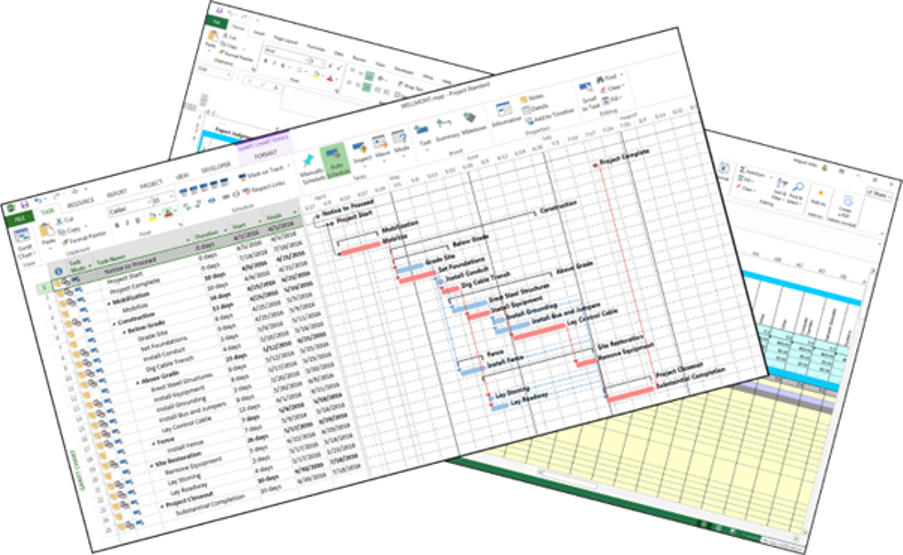
There were, obviously, several points of failure in this process; it required me to enter the same numbers in all three places without making any transcription errors.
So I thought I could do better; I was a software developer after all. I developed a tool where I entered the data once and the tool took care of the three tasks. Once I had that working, I began thinking what else I could get this tool to do for me. It was just meant to be a tool that I used to help me do my work. Making a commercial offering never entered my mind. The idea was to be able to do my administration and project tracking and reporting fast and accurately, giving more time to focus on managing the team.
So why this article?
So why have I spent time telling you all of this? It’s to set the scene for this article. I started Castellan Systems so that I could pursue what my original attraction to IT was, software development, and in particular, turning that tool into something other project managers may want to use. It wasn’t because I wanted to run my own business. I was out of work in 2010; I had left my then employer because I could no longer work with my manager and I was having trouble finding a new position. But in between searching for work, I was sitting at my PC coding with a big smile on my face. In fact, even after I found work, I was happier sitting at my PC coding than in the office; the office had become just a place I went to collect a paycheque.
So, when I parted ways with my final employer, I told myself I didn’t need to rush back to work; “just keep working on your own stuff” is what I told myself. What did I know about running my own business? Not much; but I had managed many projects and programmes and had some useful knowledge to at least understand what I didn’t know.
So most small businesses at their start have many similarities. The founder/owner knows a lot about what the business is meant to do; staff numbers are very low, most likely only one – the founder/owner; knowledge of what it takes to operate a business is very low or even non-existent; the founder/owner is one of the key employees (or even the only one) and will be required to do actual, non-administrative, work. So the more time the founder/owner has to spent doing this administrative work, the less time they have to spend of activities that bring in an income. Or even worse, the longer hours they have to work leading to a poor work-life balance.

|
Usually, you find yourself with a conundrum; when do I do my administration or management tasks? If you do them when they occur or are required, you impact your productive activities. If you do them at the end of the work-day, the next day you’re only working with up-to-date data when you start work. If you do them on the weekend, it’s only Monday when you start work that you have up-to-date data; imagine having to make a decision on Thursday or Friday with the data you have? But, particularly in the last 2 options, it will impact your work-life balance, as I have already mentioned. You may even start wondering why you started your own business in the first place. So what can you do? Well, some form of training in running a business would be useful; at least you’ll have a better idea of the things you should be doing. But you still need to do them and therefore that work-life balance problem would still be an issue. So where does the answer lay? Well, tool(s) that help you perform those administrative tasks efficiently and accurately in a minimum of time, is a large part of the answer. |
What can help me?
“Aha! You finally got there” you might be saying right now. “Don’t you provide such tools?” Yes I do; but this article is not about selling you my offerings but about “selling” you the idea of such tools, such business information management tools. In the end you need to find a solution, or tool, that meets your needs. Your needs at the start may be quite small and only grow as your business grows.
When I was ready to launch Castellan Systems’ first products, I began building myself a tool to help me manage the business. As the business grew, so did the tool. It required a lot of research to fill in the gaps in my knowledge about running a business, but it did the trick. This tool has in fact become the grandpappy of all of our business information management products; most of its functionality has made its way into every one of those products.
“But couldn’t I do it with an Excel spreadsheet?” Well, initially the answer would be yes. Excel is a fine tool. Everyone needs and uses a spreadsheet. And it's a good tool for data analysis. But there are limitations to Excel when it comes to running a business, especially as you grow and you engage other staff. There are 3 really good reasons to move off it:
- An Excel spreadsheet is a static document. Usually, it lives on someone's computer. Even if you use the Office Online version, someone is the owner or manager of that document and has to update all the raw data. What happens when the manager is out sick or on vacation? Who has access to the spreadsheets? Who manages the business? When your business tool is shared your team has access to it at any time. You - and more importantly the entire team - can access its functions on their workstations. You're no longer chained to a desk or blocked by static documents. And since the team is directly accessing these functions, you are not glued to your workstation. Imagine what other things you could do with your time?
- Excel is a great pivot-table tool. You can create great looking charts and reports, fairly easily. Only problem? Your data is stale. With an application supporting your business, your data is always updated instantly and in real time, which gives you instant visibility into potential roadblocks or issues that can derail your operation.
- When you manage your business, and open your team with collaborative tools, you're giving them the autonomy to work freely. That creates a more loyal team, which you can easily retain, and who will work harder because they buy-in to the day-to-day operation of your business. That means, you're not wasting time micro-managing people.
Excel is a great tool, but there are better tools to help you manage your business. I was using Excel for many tasks but grew tired of doing calculations in Excel and then copying data from one spreadsheet to another. In fact, it's why I started developing the that system I mentioned earlier for myself.
Your tool should allow others in your team to interact with it. It should not be restricted to just management team and/or you; if it does, it's creating a bottleneck and an opportunity for, what it's usually called, transcription errors. This occurs when the person using the tool is simply entering information provided by someone else. Why not have that someone else enter the information themselves? Isn't that a better idea? It doesn't mean that your whole team needs full access to all the functionality provided by your tool; they just need access to the functionality that supports their function. That's what we try and build into all of our solutions; they are team tools and not just simply management tools.
|
More importantly, you are not the only one performing these tasks and therefore have more time to focus on other activities. Your data is up-to-date, if used properly, and you’re not making decisions with stale data. Finally, the tool has been built with the appropriate knowledge to run a business like yours; it will in fact act as your teacher. Of course there are other benefits. Your staff members become more confident; they feel that you have trust in them; that’s you are willing to delegate tasks to them and become more engaged with your business. So now that, I hope, I have established the need for information managements tools in small businesses, how do you go about selecting the “right” tool for you? Firstly let’s say that the “tool” may end up being several items or products; it depends on your needs. Yes, it would be great if you found one tool that did everything, but there are limitations that these tools have to contend with. As an example, let’s look at payroll. If you got employees, you need to perform payroll processing. But as each countries’ payroll framework would be different, you’re not going to find a solution that works for all. Things like taxation, superannuation and reporting are based on governmental legislation and therefore, almost certain to be unique in each country. |

|
But there are many other processes that any business needs to perform which are common and essentially the same across industries and countries. Processes like:
- Maintaining employee details records.
- Managing employees’ leave entitlements including request for leave.
- Managing employee expenses.
- Recruitment process to fill in vacant positions.
- Including onboarding and offboarding of staff.
- Performance management.
- Talent management.
- Succession planning.
- Staff remuneration management.
- Shift planning.
- Recording of timesheets.
- Employee work expenses management.
- Tracking of demand or pipeline of potential work.
- Generating quotes and work orders, if applicable.
- Tracking work progress.
- Managing customer records.
-
Accounting facilities, including:
- Generation of purchase orders,
- Generation of customer invoices,
- Recording of operating expenses,
- Recording of operating and non-operating income, and
- Financial reporting.
-
Occupational Health & Safety (OH&S), including:
- Hazard management,
- Incident management,
- Injury management, and
- Return to work management.
- Stock and Inventory management.
- Equipment maintenance management.
- Asset management.
- Vehicle usage and expenses management.
While your business may not have to perform all of these processes, it will need to perform a selection of them and, you will notice, I haven’t mentioned any process actually related to the type of work the business does.
How do I find it?
“But you still haven’t told me how I go about selecting the ‘right’ tool for me.” I know; but before I do, you need to understand that the ‘tool’ that works for you today may not work for you tomorrow. So when you come to perform the process I outline below, you need to decide whether you’re looking for a tool for the business that you are today or want to be tomorrow.

|
The process is a standard requirement gathering phase, just like the ones that I’ve participated or managed so many times in all those projects that I worked on. The only difference is that you are looking for something off-the-shelf rather than to build it. The most important thing is that you need to look at everything that you need to do to run your business. I’ve seen, and you probably have to, those ads on TV for apps that do small business quotes, invoicing and follow-ups to ensure payment is made. But unfortunately, that not the only thing the business needs to do. To give you an example, a few years ago I wanted to change the toilet bowl and small basin in our toilet; I contacted a plumber I had used before and got him to come in and give me a quote. He recommended that we use flexible, braided lines to connect the cold and hot water lines to the tap; his exact words were, “I always recommend and prefer to do it this way.” I accepted his suggestion and we booked in a date. When he came to do the job, he didn’t have those flexible, braided lines in his truck. Fortunately, there is a plumbing supplies business about 1km from our place, the delay was minimal. But if that was the way that he preferred to do it, why didn’t he carry those parts as stock? Why didn’t he know that he had no stock left? I haven’t used this plumber since. |
- Gather all stakeholders; that would include you and everyone in your team that would need to use this tool.
- Run a workshop, or series of workshops, to identify what you needs are.
- Each attendee will identify the things that they need this tool to do. Note: you are looking for what they want the tool to do, not how to do it. Simplest way to do it this is by writing each requirement on a sticky note and sticking them on a whiteboard or wall. At this point there is no discussion; there is no bad requirement. Each attendee has a free say. Think beyond financials; don’t simply consider a tool that send out invoices. Look at every process that you need to perform to keep your business ticking; take a look at the list I provided above.
- Then you need to rationalise all of these requirements. Are there requirements that are simply asking for the same thing in a different way? Are there requirements that are related? Does a requirement, or group of requirements leads to a much bigger or important requirement?
- When you have this rationalised list, you can discuss each requirement or grouping. Do they make sense? Do they need clarification and/or further expansion? Are they pointless or unnecessary?
-
Now that you have a definitive list, you need to classify them. There are three classifications:
- Must have: Non-negotiable, critical, and essential requirements that, if omitted, render the tool as unsuitable.
- Should have: Important but not vital requirements that add significant value, often described as high-priority, but not essential.
- Could have: Desirable, low-impact requirements that are “nice to have”.
-
Now that you have a classified list, you can start looking at tools and comparing them against this list:
- Only the tools that provide all of your “must haves” will be considered further.
- If there are more than one left after the previous step, look at your “should haves”. Which tool delivers more of them? Which “should have” are more important than others? This is a judgement call; a tool that provides just one of your most valuable “should have” may be more appropriate that one that provides 5 of your least valuable ones.
- So if you still have more than one tool left, look at the “could haves”. Which tool gives you more? Again, this is a judgement call.
|
Obviously, price may come into the equation. What can you afford? I tend to make it one of my “should haves” rather than a “must have”. You don’t want to eliminate the best tool right at the beginning; you want to see how it stacks up against all other options. If nothing comes close to its functionality, you may decide to still go with it even if it will stretch your finances. But if there is another tool that is close in functionality but significant cheaper (and closer to your budget), you may choose that one instead. If there are several people involved, I found it better to have a facilitator run this workshop. They are not a contributor as such; they just keep the rest on track and on the process. If you’re on your own, then you may want to do it over several sessions to give you time to process mentally what you’ve just produced. An important point to keep in mind is that you are not simply looking for a tool to store your business data, or information; you’re looking for a tool that will help you use that data and better manage your business. A tool that allows you to be proactive instead of reactive when managing your business. That’s why it’s called “information management” and not “information warehousing”. |

|
In Conclusion
In a small business, every hour spent on management tasks instead on revenue earning tasks cost you money. But you still need to perform these management tasks and you need to perform them well. That will allow you, as already mentioned, to be proactive instead of reactive when managing your business.
A tool that lets you focus more time on trying to earn money while helping to manage the business appropriately, can only be an asset. Just remember, no matter what your business is, you data, or information, is your biggest asset. Manage it and use it accordingly.
And see, I haven’t mentioned any of our products in this field.
PLEASE NOTE: The downloaded article is in English.
This article was first published in www.castellansystems.com in May 2026. Its author is Castellan Systems' Managing Director who has over 45 years' experience in the IT industry working for several large, multi-national corporations. He has worked as a software developer and project, programme and portfolio manager.

