


|
An "Artisan" is a skilled craft worker who makes or creates material objects for sale. These objects may be functional or strictly decorative, for example furniture, decorative art, sculpture, clothing, food items, household items, and tools and mechanisms such as the clockwork movement of a watchmaker. Artisan takes the Supply Chain Management functionality of the original Merchant application and expands it include production planning and manufacture functions. Supply chain management systems span the activities of procurement, product lifecycle management, supply chain planning (including inventory planning and the maintenance of enterprise assets and production lines), logistics (including transportation and fleet management), and order management. Artisan is an application for those businesses that manufacture the products that the sell, from raw materials purchased from their suppliers. Such businesses have a form of production process with different process stations/teams taking some raw materials and producing a new item, which may either be a raw material for another process or a finished product. Artisan is a partner application to our Employee Management Systems (EMS), Chancellor. It's been developed to work along side Version 4.0, or later, of Chancellor and together form a strong ERP solution for any manufacturing business. |
|
|
|
|
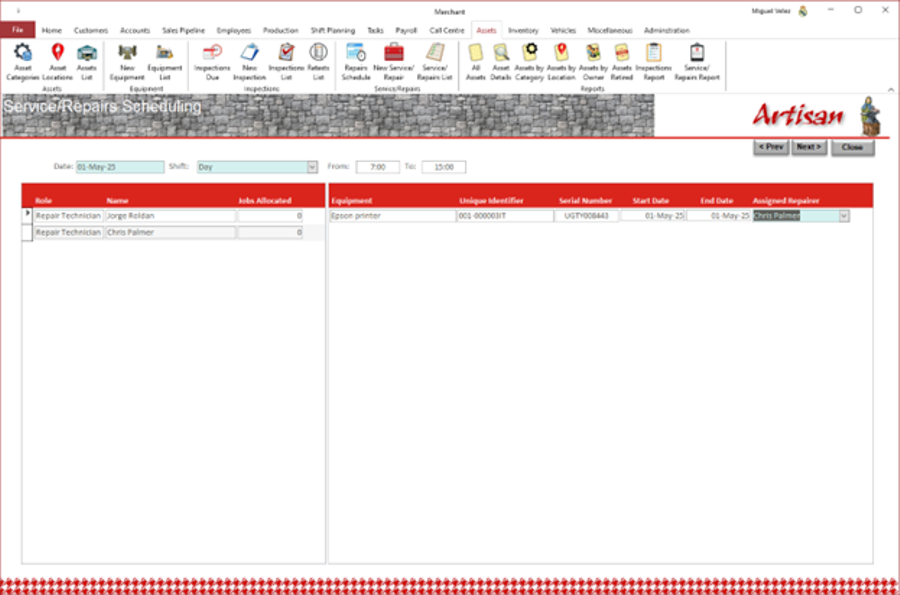
| Version 1.1 now can take pictures directly from the application and save them as attachments in various areas of the application. It manages employees’ leave entitlements including request for leave. Manages equipment maintenance repair tasks identified following inspections. | |
|
So what does Artisan do? |
|
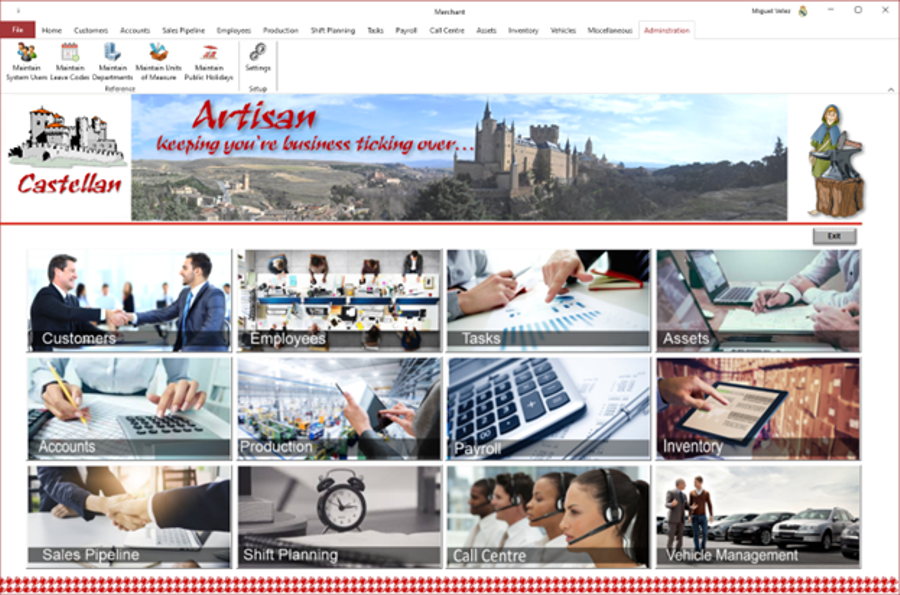 |
Artisan manages your customer records including products purchased and installation and registration codes. It provides a full set of Accounting facilities. It manages your Sales Pipeline. It provides Production Management facilities including purchasing, manufacturing, stock and inventory management, and Sales. It manages your work tasks. It records your payroll expenses. It provides Call Centre Management facilities. It manages vehicle usage and expenses. It manages the organisation’s employee details records. It assists the preparation of shift staff allocation by defining shift and providing facility to allocate staff to the various roles in a shift. It provides full support for the management of assets and prints asset labels which include a barcode. It provides support for the management of staff expenses. It allows for the recording of timesheets which can then be submitted to the employee’s manager for review and approval. It allows managers to review and approve/reject timesheets or individual entries. Artisan maintains units of measurement (UOM), types of leave and public holidays that are used by the rest of the application.
|
|
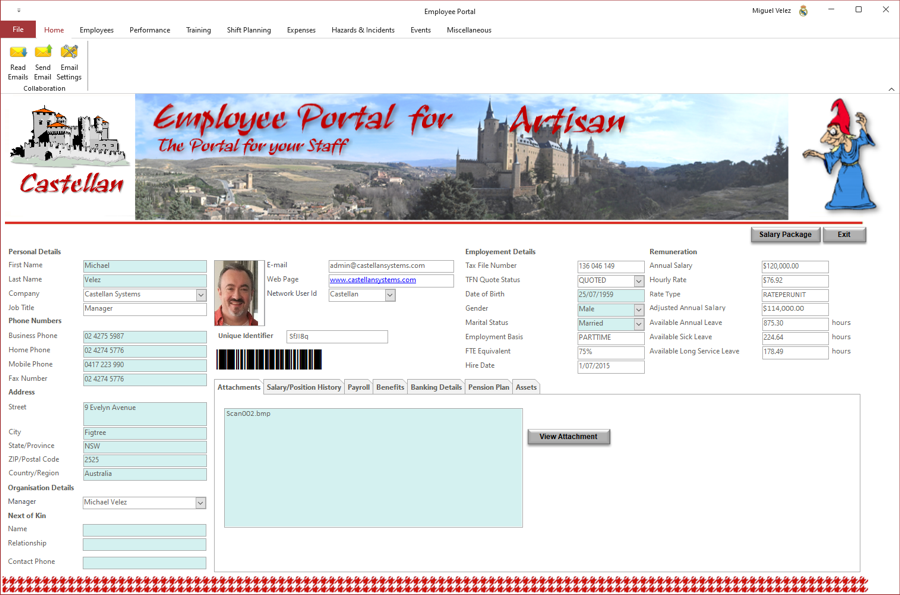
Artisan maintains your employee’s details including their personal details, manager, next of kin, a photo, email address and network user id, employment details, remuneration details. It stores any documents, like resumes as attachments. It can record the different positions the employee has held with the organisation; any payroll additional allowances or any deductions applicable to the employee; the banking details to use by payroll for the employee; the superannuation, if applicable, account(s) details to use by payroll for the employee; and general notes.
You can save a photo of the employee and generate a unique id for that employee. The barcode generated used the common Code 39 barcode type used for various labels such as name badges, inventory and industrial applications. The symbology of the Code 39 character set consists of barcode symbols representing numbers 0-9, upper-case letters A-Z, the space character and the following symbols: – . $ / + %. Lower-case characters may also be used. The photo and barcode will appear on the employee’s ID card when produced. It can generate an employees address book and phone list. |
 |
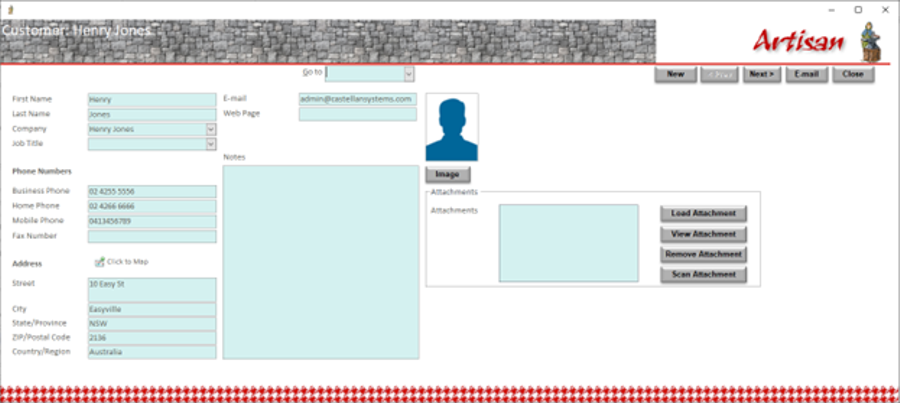 |
Artisan maintains your customer’s details including their personal details, a photo, email address and mailing address. It stores any documents. Artisan records and maintains the list of products your customers have purchased, including installation and registration codes where applicable (e.g. software packages). It can support an upgrade and subscription service for each product and assist in notifying your customers when new versions are available or their subscription has expired. |
|
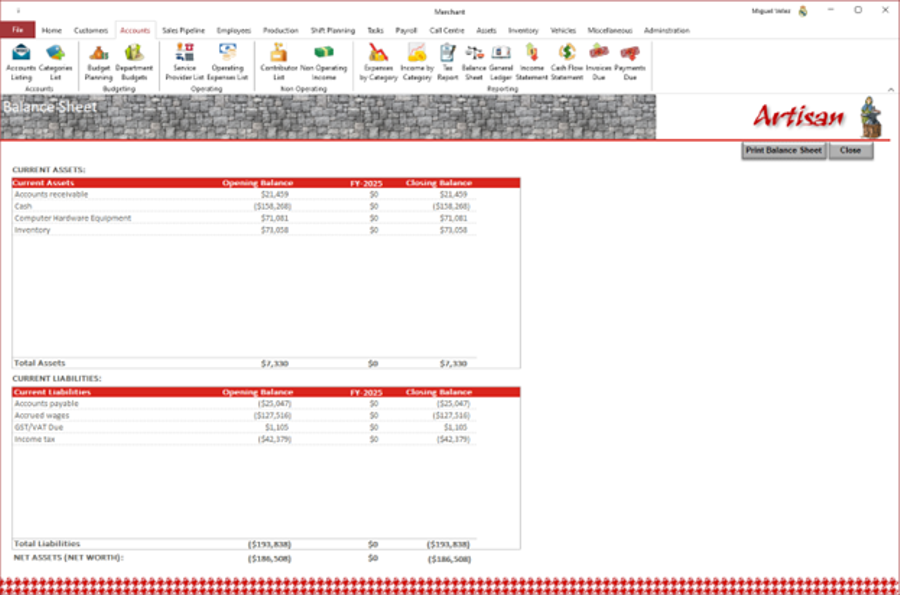
Artisan provides accounting/financial report to support the financial administration of the organisation. Most of these reports can be viewed on an enquiry screen, generated as a PDF or printed out. These reports include:
Obviously, these reports are generated using the expenses and income data recorded throughout the application, which is recorded using classes and categories to support the financial reporting. |
 |
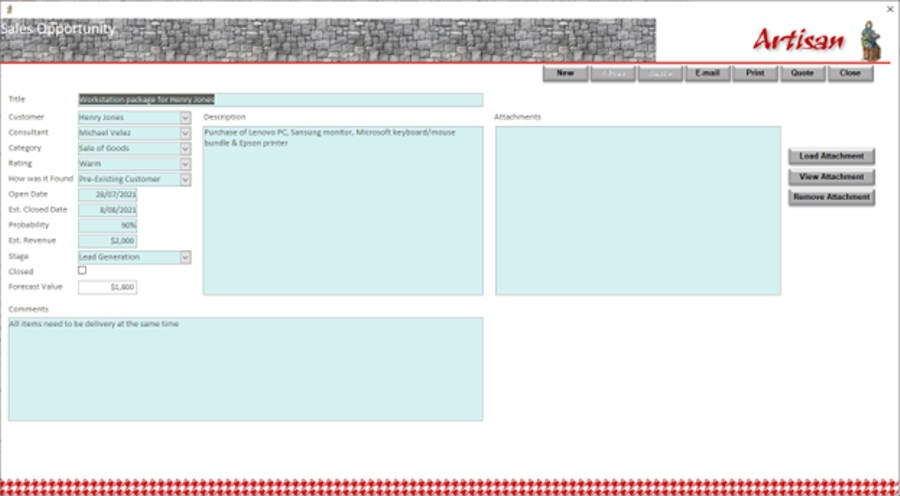 |
Artisan supports your sales pipeline process by tracking opportunities and providing various enquiry facilities to analyse the pipeline. These sales opportunities can then initiate a quote or completely new quotes can be recorded/produced. A quote can then initiate a sale from which an invoice can be generated. Artisan allows for the barcode generated by Artisan either in the product catalogue or on the individual item, to be scanned in order to record the items included in the quote. |
|
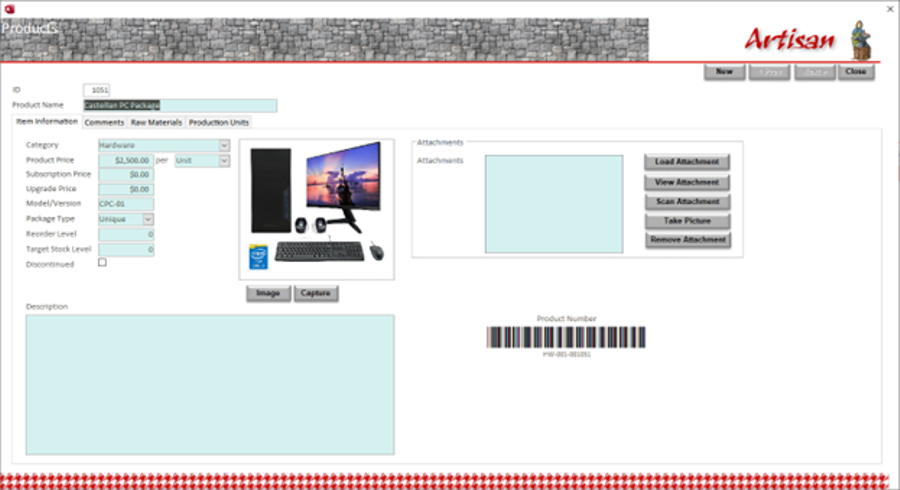
Artisan support the product inventory process by defining products the organisation has available for sales. When a product is define, the various production units required to manufacture are recorded and the raw materials needed as well. Products can be flagged temporarily unavailable. These products could be simply items purchased from a supplier and then onsell, or products manufactured using purchased items from suppliers.
Artisan also support products which you sell that need to be uniquely identified by a serial number. In the case of purchased items, the manufacturer's serial number is used; in the case of items the organisation manufactures, a unique serial number is generated using the product category. Artisan allows for item delivered by the vendor damaged or unusable, to be return back to the vendor for a refund. It also allows for spoilt, damaged or unusable items in the inventory to be disposed at a loss. |
 |
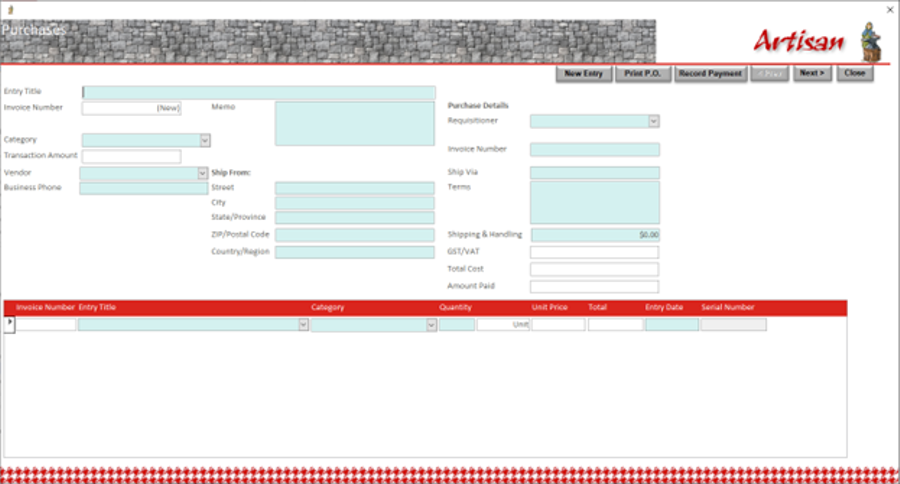 |
Artisan supports the purchasing process for raw materials, and warehousing, to support the manufacturing process. It can maintain warehouses of available items and manage re-stocking. It maintains a list of suppliers and the items they supply. It can issue purchasing orders and maintains an inventory of these. As items are either sold or used to in the manufacturing process, it updates the inventory so that the current available stock of any item is known. You can view at any time the purchase transactions and inventory transactions. Artisan can print a report which items require re-ordering to maintain the stock levels preferred. It can produce many reports that assist in analysing the inventory. It can also print a Suppliers Directory listing every supplier and the items they provide; this can be used as an easy reference when ordering new stock. |
|
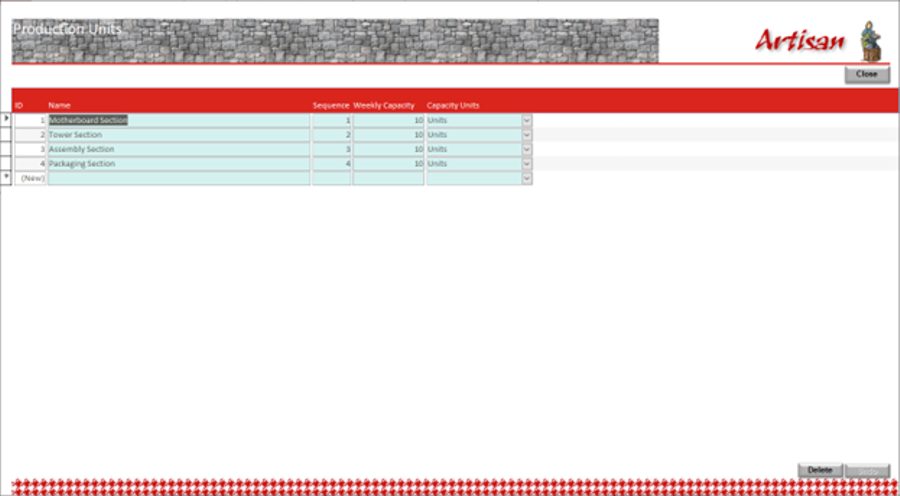
Artisan supports the manufacturing process across multiple production units, stations or teams. You can record the maximum capacity, per week, of each individual unit, the form (e.g. kgs, minutes, units) this capacity is represented as and the position, or sequence, in the production line that the production unit is located. These factors are required to facilitate the customer orders' production planning process. |
 |
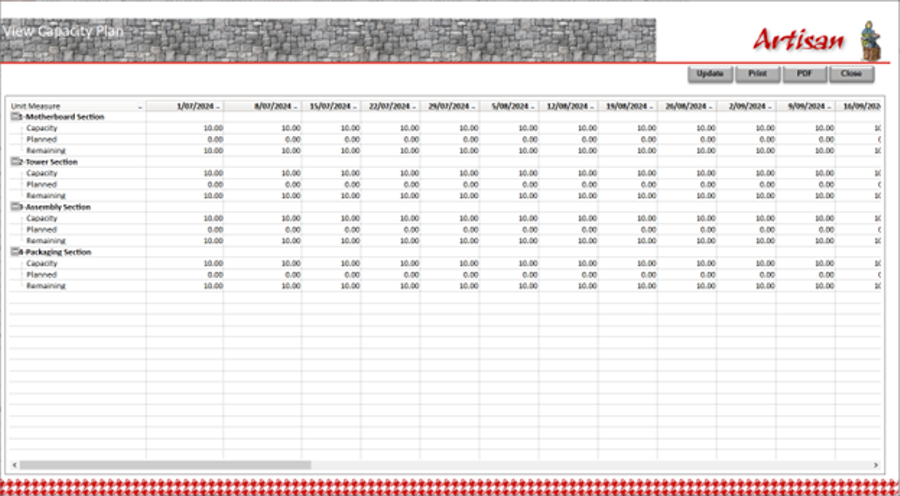 |
Artisan maintains a production capacity plan across each production unit and production week. The maximum capacity per unit, per week, are recorded and the capacity allocated to producing customer orders is also recorded. This then identifies the remaining production capacity. Artisan, if required, can make adjustments to individual production unit/week entries to assist with delivering customer orders on time. Obviously, this should be accompanied with an adjustment to the shift resourcing plan. |
|
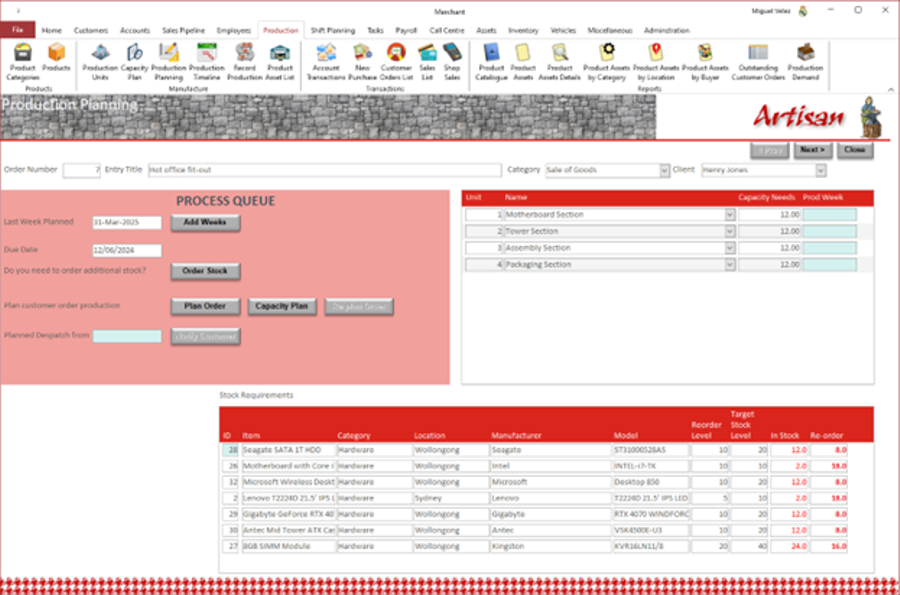
Artisan plans the manufacturing of customer orders through the various production units. When a product is define in Artisan, the various production units required to manufacture are recorded and the raw materials needed. Artisan will review the raw materials requirements for the customer order and facilitate the ordering, from suppliers, of any additional stock needed. It will then try to plan the completion of the manufacture of the products ordered and despatch by the due date nominated by the customer, if they have; otherwise, it will plan to despatch as soon as possible pending capacity availability. |
|
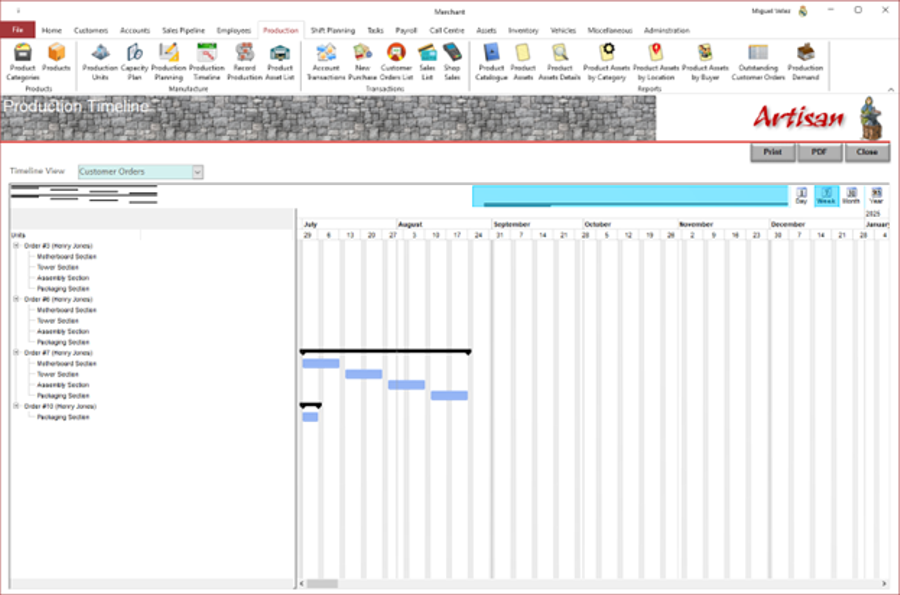 |
Artisan can display a Gantt chart showing the production timeline. This can be represented by orders or by production units. This is just an enquiry function and no changes can be made to this Gantt chart. It can also be printed or a PDF generated. |
|
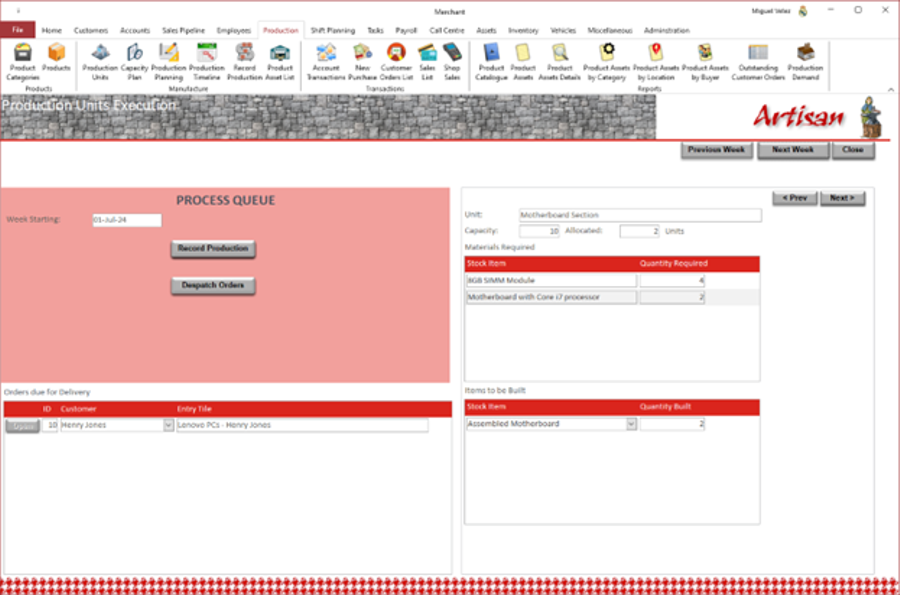
Artisan can then record the execution of the production plan. Production at each unit for each week can be recorded. Artisan will record the consumption of raw materials and the creating on the new inventory items at each unit; this maintains an up-to-date inventory image. When production at the final production unit is recorded, Artisan can initiate the despatching of any orders planned for despatch that week. |
|
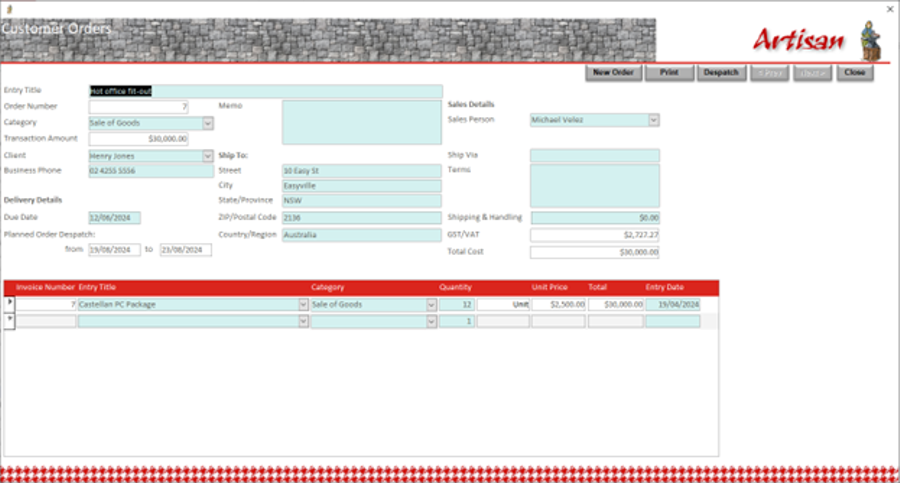 |
Artisan support the organisation's sales activities by recording customer orders and then following through to an actual sale and payment. For uniquely identified items, the owner is recorded in the inventory and the overall inventory is updated with reduction of stock. Artisan allows for the barcode generated by Artisan either in the product catalogue or on the individual item, to be scanned in order to record the items included in the quote. Artisan can produce customer fully itemised invoices. In order to support the whole purchasing -> manufacturing -> sales process, Artisan produces various reports reporting on various aspects of the stocking process. |
|
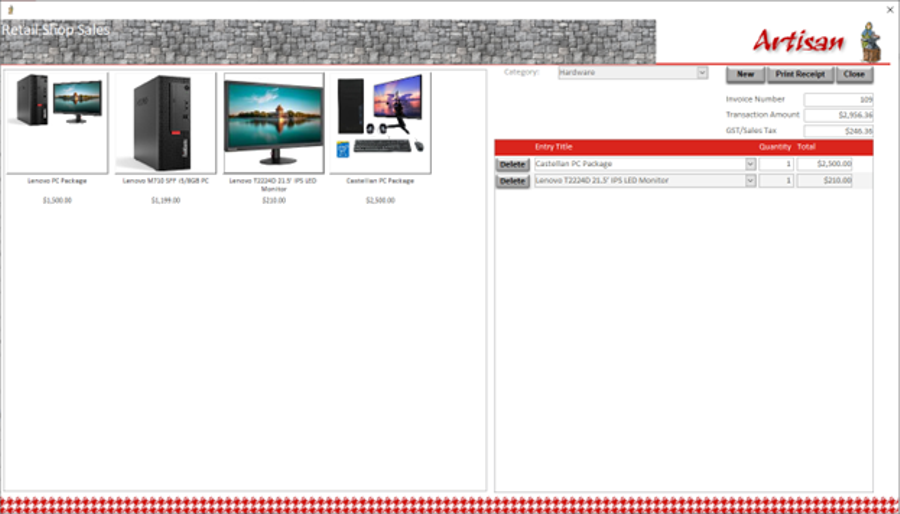
Artisan supports the operation of a retail shop; this can support for those business with a retail shop front. Product are allocated from available stock, no invoice is generated, simply a sales, or cash register, docket. It updates the inventory and financial accounts. |
|
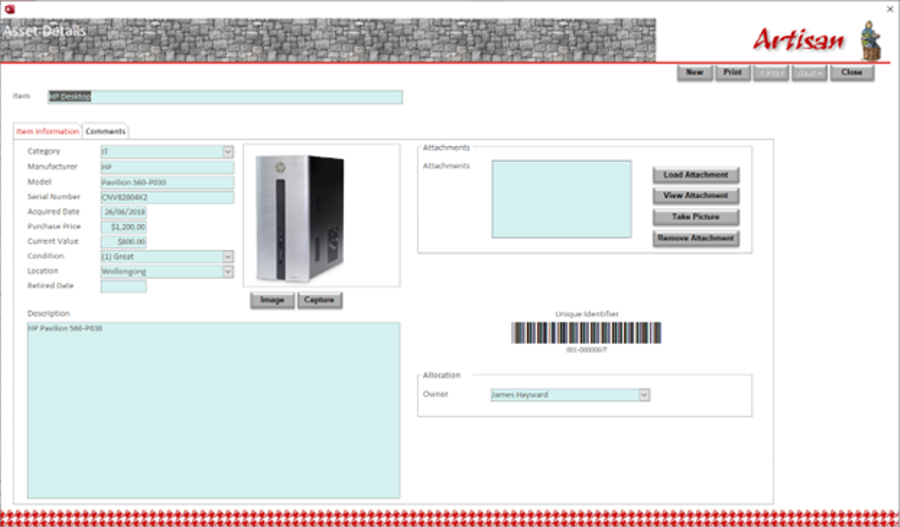 |
Artisan provides facilities for asset management. It can define asset types and location where these assets are kept. It can register assets, including a description, photo, manufacturer, model, serial number and store any documents, like brochures. It can generate identifying barcodes and print asset label which are then attached to the assets. It can allocate assets to staff and monitor their return when the staff member terminates their employment with the organisation.
It provides multiple reports to support monitoring and managing of these assets. |
|
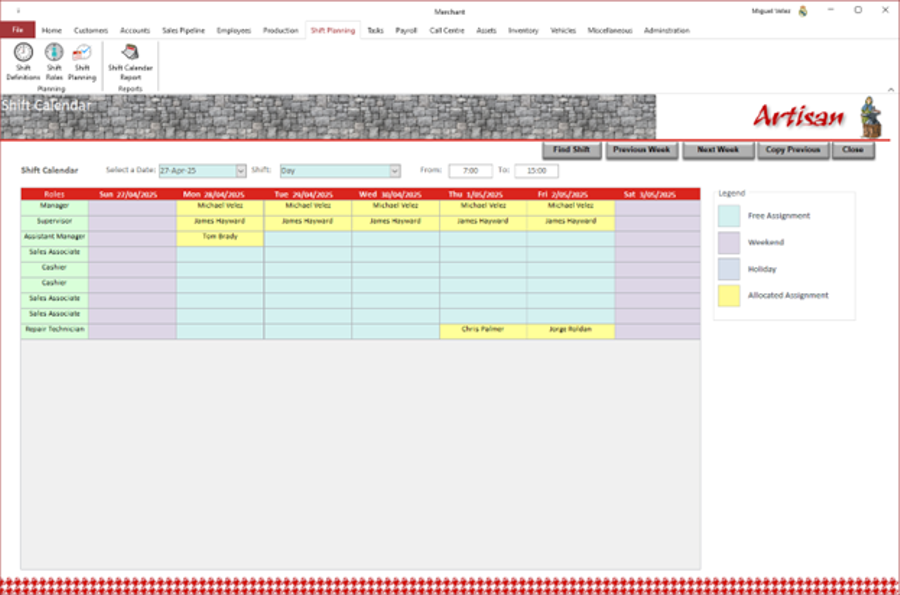
Artisan support the generation of shift resourcing plans. Shifts and the different roles/jobs within these shifts can be defined. Plans can be put together in a graphical calendar representation which can also be printed and distributed to staff. Artisan reviews each resourcing selection to ensure that a staff member has no overlapping shift. It also ensures that a staff member is not allocated to shifts without a normal shift gap in between, i.e. no 2 shifts in a row, in order to manage staff fatigue.
|
 |
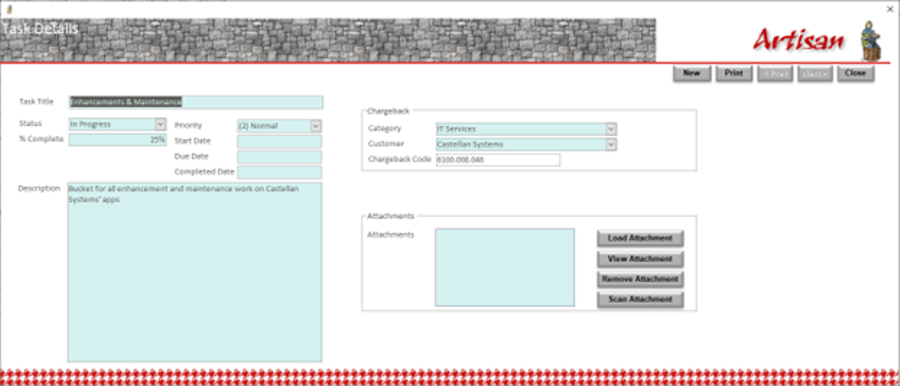 |
Artisan provides facilities to support task management. These tasks can represent work tasks defined by managers or projects contracted with customers. These tasks are then available for staff in the timesheet recording facility. Various reports are also provided to manage these tasks. |
|
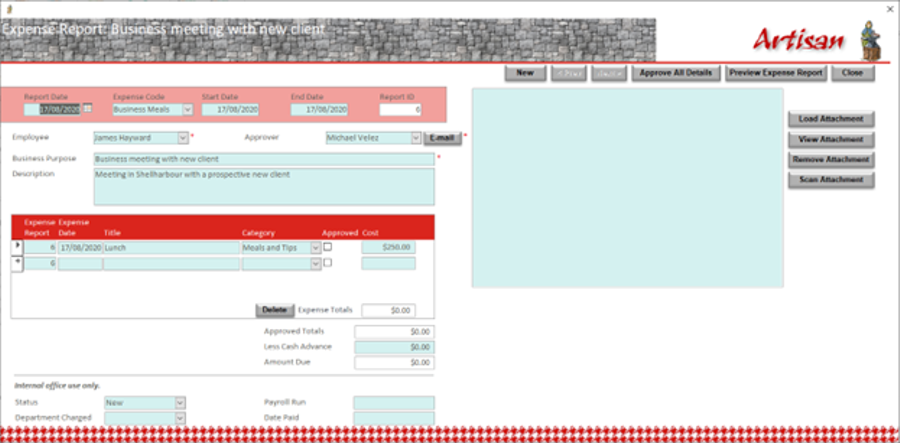
Artisan allows staff to make claims for refunds of working expenses. These claims can take one of two forms: mileage claims for travel or cash expenses; for cash expenses the staff member can attach supporting documentation, including receipts and invoices. Artisan supports the scanning of these attachment through a TWAIN compliant scanner. The staff member submits the claim and it's then sent to their manager for review and approval. It provides multiple reports to support monitoring and managing of these claims. |
 |
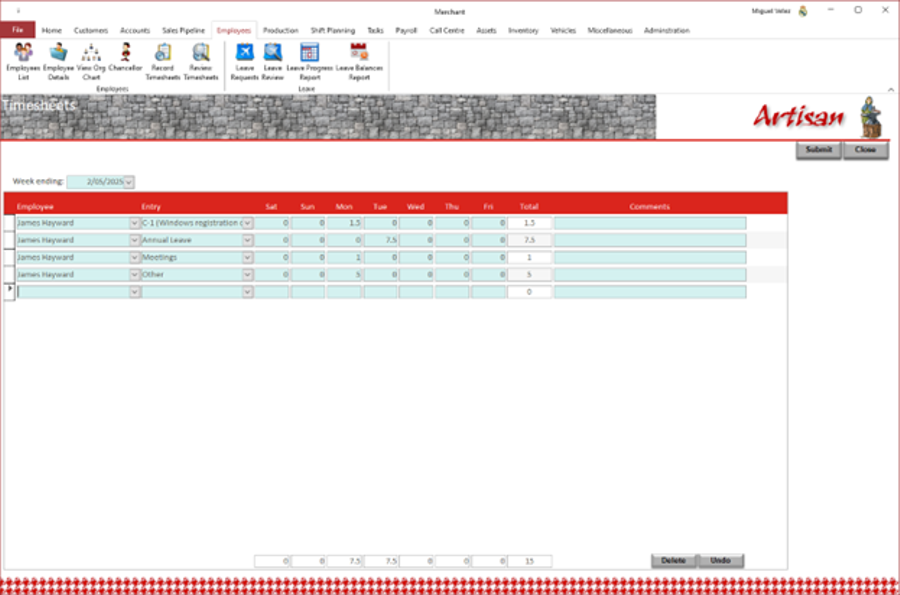 |
Artisan can record an employee's timesheet and it can be submitted for review and approval.
Artisan provides 2 a built-in time recording facility which includes an approval process. The timesheet data is then used, along with the employees' salary package information, to calculate payroll costs and update the organisation's balance sheet. |
|
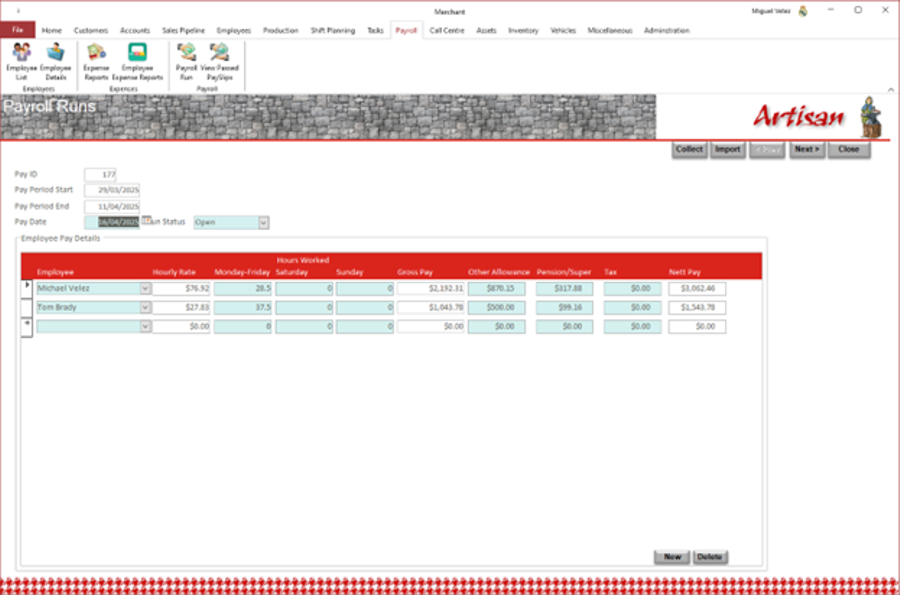
Artisan, as mentioned above, uses the timesheet data recorded, and approved, by staff to calculate payroll costs. It also uses the staff's salary package information to calculate payroll costs. These costs are then added to the balance sheet so that a full picture of the financial state of the organisation can be viewed. Artisan can also import a payroll expenses report from your payroll solution; for that purpose a sample layout Excel (.xls) file is included so that the format of this file can be identified.
|
 |
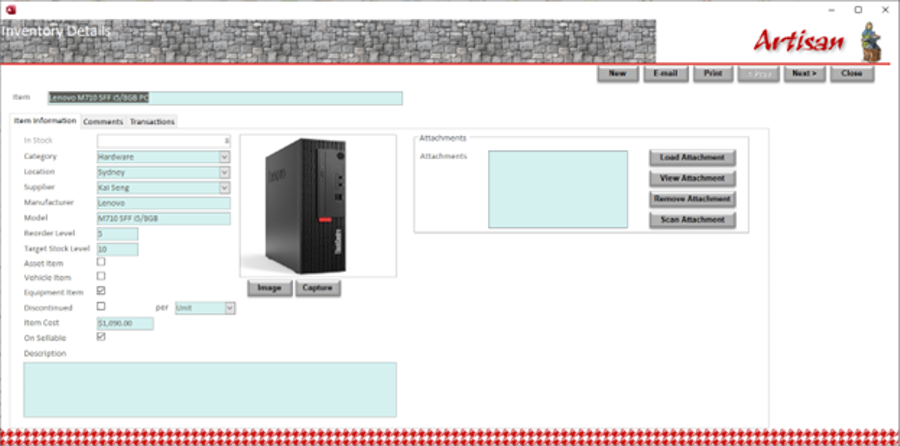 |
Artisan, as already mentioned, supports the operation of stores and warehouses within the organisation. It can maintain stores of available items and manage re-stocking. It maintains a list of suppliers and the items they supply. It can issue purchasing orders and maintains an inventory of these.
It can receive requests for items and fill them and update the inventory so that the current available stock of any item is known. You can view at any time the purchase transactions and inventory transactions. Artisan can print a report which items require re-ordering to maintain the stock levels preferred. It can produce many reports that assist in analysing the inventory. It can also print a Suppliers Directory listing every supplier and the items they provide; this can be used as an easy reference when ordering new stock. |
|
Artisan also provides call centre facilities. Calls from customer with issues or queries can be logged and assigned to individual staff the address. If multiple calls are made relating to the same issue, these can be linked. The response to these calls can be recorded and information emailed to the caller. Artisan maintains a knowledge base of known responses so that they can easily be referenced and the issue resolved quicker. |
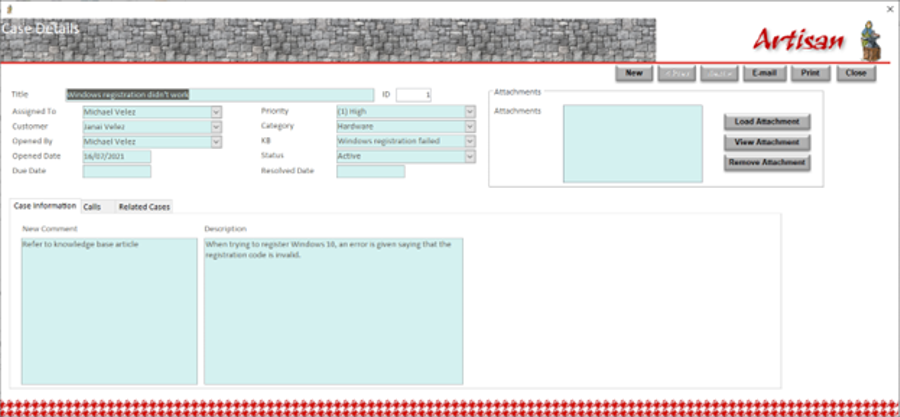 |
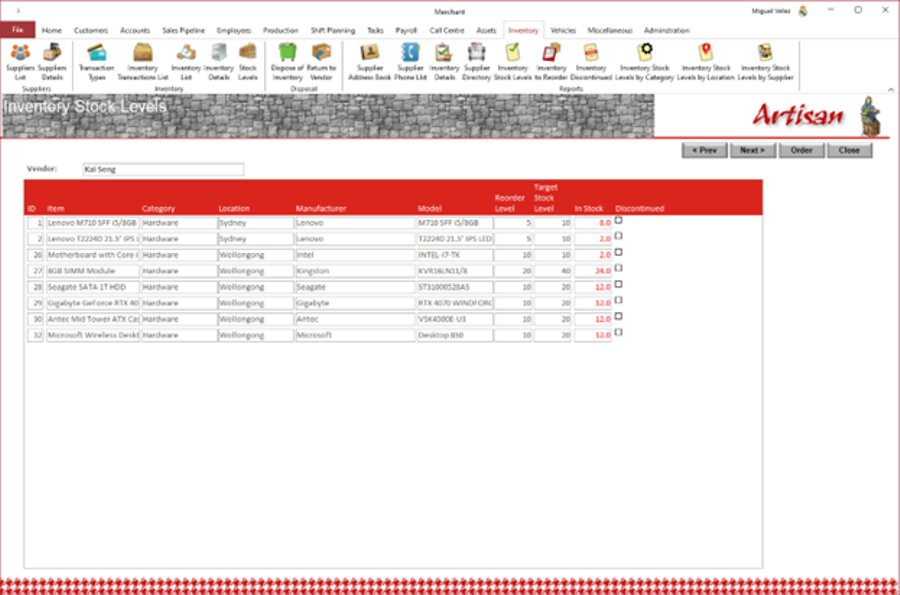 |
Artisan now has improved stock levels monitoring and can generated re-ordering purchasing order semi-automatically. It will enquire to identify those stock items below the desired level and generate purchase orders for them which can be reviewed and modified by the user, if required. |
|
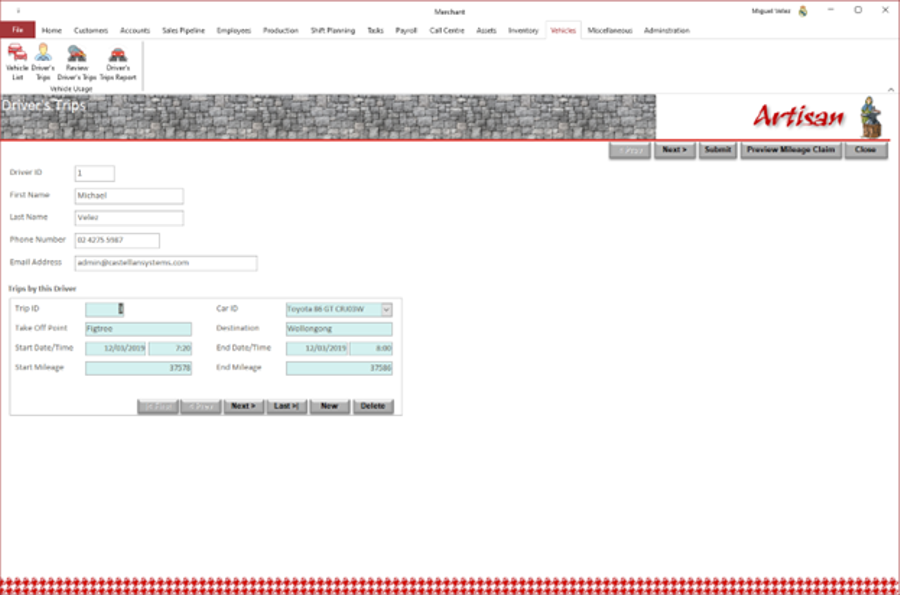
Artisan supports fleet or vehicle management. It can record details of the vehicles managed by the organisation. It can also record details of authorised staff owned vehicles that can be used for business purposes. Artisan can records trips undertaken by staff in these vehicles for business purposes and then process refunding of costs to staff. These costs are also added to the organisation's balance sheet. |
 |
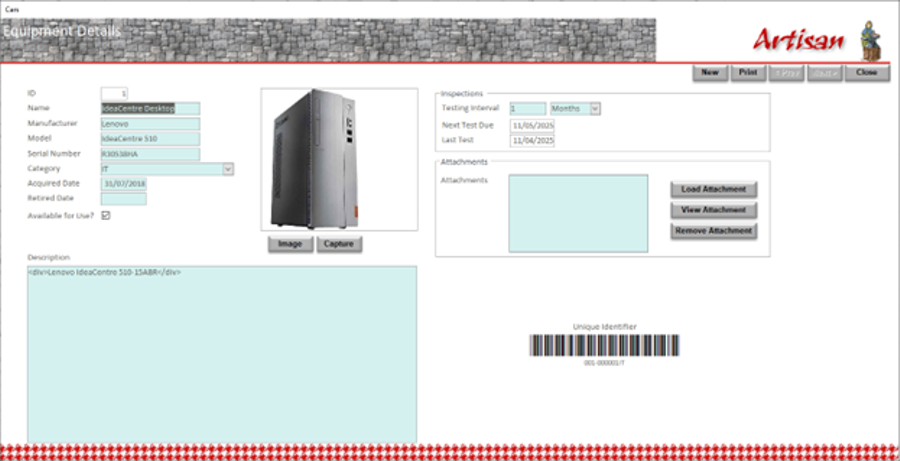 |
It can take a picture of the product directly from the application. It can also scan documents and save them as attachments. These cycles can be expressed in days, weeks, months or years. |
|
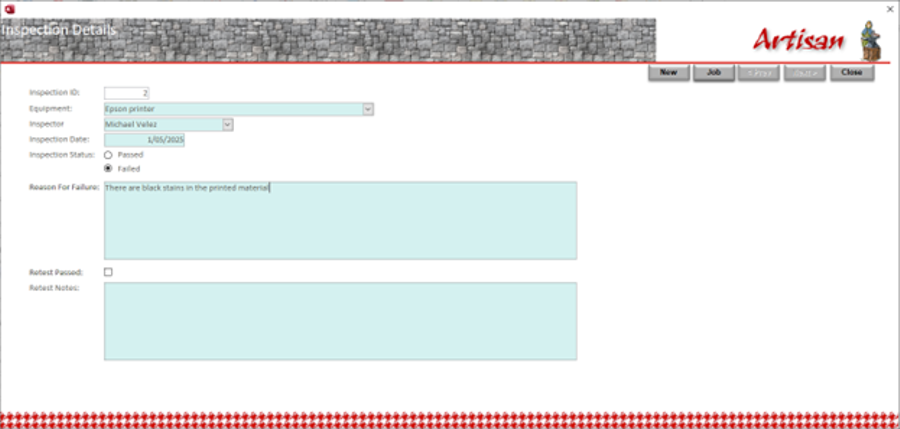
When an inspection is performed, Artisan can record the results of the inspection. If the inspection has failed, Artisan will then initiate a repair task; the equipment item will be marked unavailable. If the inspection passes, Artisan will then determine when the next inspection is due, based on the inspection cycle defined. |
 |
 |
|
|
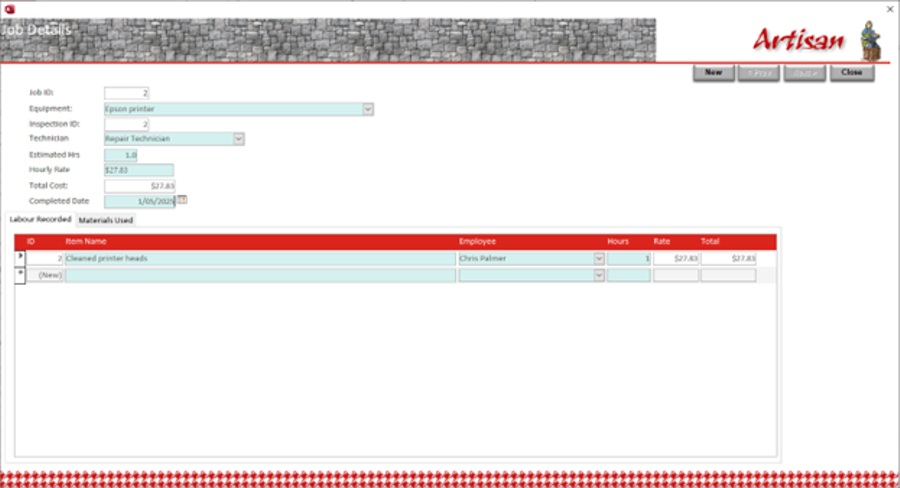
Once work has been completed on an item's repair task(s), Artisan submits it for re-inspection or testing. If the item now passes inspection, it's marked available and returned to operations. |
 |
 |
Artisan provides inbuilt Emailing facilities. Emails can be imported from your Email Server without the need for an Email client like Microsoft Outlook. These Emails are then stored within the database along with any attached documents. Emails can be printed. |
|
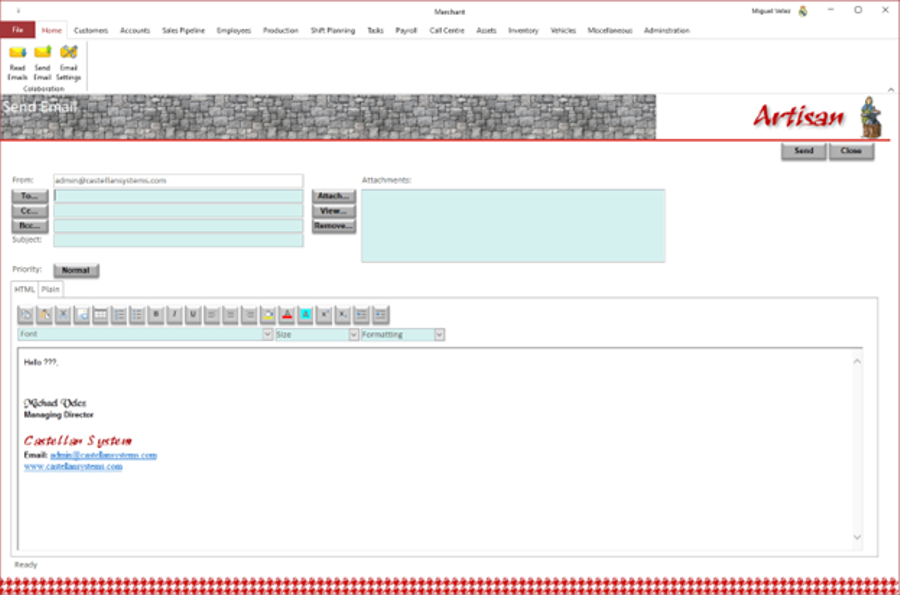
Artisan can also send Emails through your Email Server without the need for an Email client like Microsoft Outlook. These Emails are then stored within the database. |
 |
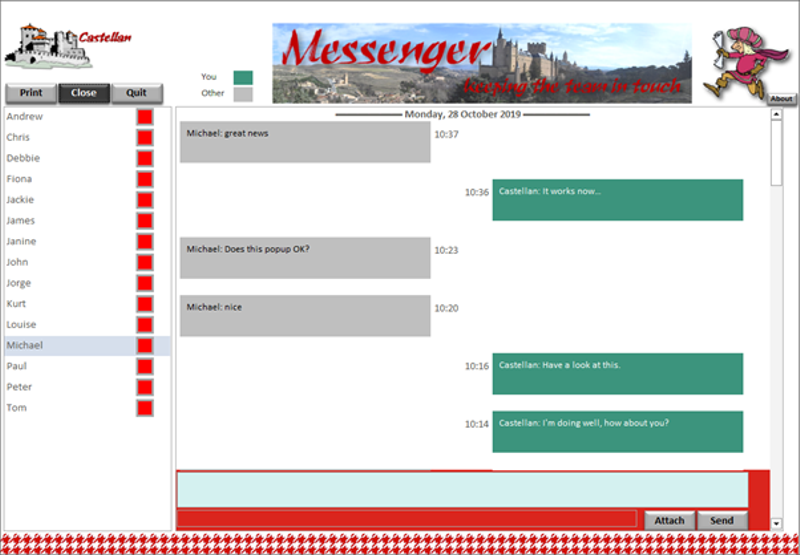 |
The Artisan package includes Messenger, our Instant Messaging tool. This tool can be distributed to all employees no matter the licenses of Artisan have been purchased. It’s use to communicate with each other in a fast and simple manner. And what's more important, this application is free; purchase licenses for the use to the full Artisan application and then you can distributed this application to all other staff members. |
|
And what's more important, this application is free; purchase licenses for the use to the full Artisan application and then you can distributed this portal application to all other staff members. |
 |
|
Artisan is available in 5, 10 and 20 user licenses; but we're happy to negotiate any other arrangement. Just contact us. Please Note: You only have to purchase Artisan licenses for staff engaged in business processes covered by the application. You can then distribute the Messenger application to all other staff members and allows then to instantly communicated with each other. |
|
 Merchant allows employees to submit requests for leave, which are then submitted to their
manager for review and approval.
Merchant allows employees to submit requests for leave, which are then submitted to their
manager for review and approval.